

- Messages : 13
- Remerciements reçus 0
Report any technical problems you discover and discuss solutions.
Export Zip - Index.htm doesn't play
- Overlord
-

- Hors Ligne
- Nouveau membre
-

Moins
Plus d'informations
il y a 13 ans 1 mois #677
par Overlord
Réponse de Overlord sur le sujet Export Zip - Index.htm doesn't play
I've been trying to run this using Tinyweb and a portable browser. I chose The World browser---it was loading the HTML5 LO offline perfectly after displaying a warning, like IE 9, though the process was similarly slow.
To launch the LO, I created a batch file with the following lines:
@ echo off;
start \www\bin\TINY.EXE \www\root
Start TheWorld_en_3.5.0.3\TheWorld http://localhost
exit
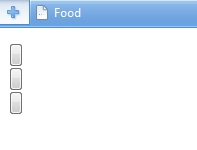
On executing the batch file I find that the browser opens as expected but displays three "buttons" (screenshot attached) instead of displaying the contents of the LO.
What do I need to do to get it to load correctly?
To launch the LO, I created a batch file with the following lines:
@ echo off;
start \www\bin\TINY.EXE \www\root
Start TheWorld_en_3.5.0.3\TheWorld http://localhost
exit
On executing the batch file I find that the browser opens as expected but displays three "buttons" (screenshot attached) instead of displaying the contents of the LO.
What do I need to do to get it to load correctly?
Connexion ou Créer un compte pour participer à la conversation.
- JohnSmith
-

- Hors Ligne
- Modérateur
-

Moins
Plus d'informations
- Messages : 397
- Remerciements reçus 71
il y a 13 ans 1 mois #678
par JohnSmith
Réponse de JohnSmith sur le sujet Export Zip - Index.htm doesn't play
What browser are you using? Can you open the Dev Tools (F12 usually) and look in the Console (you may have to refresh afterwards) to see what errors are occurring?
John
John
Connexion ou Créer un compte pour participer à la conversation.
- Overlord
-
- Hors Ligne
- Nouveau membre
-
Moins
Plus d'informations
- Messages : 13
- Remerciements reçus 0
il y a 13 ans 1 mois - il y a 13 ans 1 mois #683
par Overlord
Réponse de Overlord sur le sujet Export Zip - Index.htm doesn't play
I am using the (portable) TheWorld Browser (
www.theworld.cn/twen/
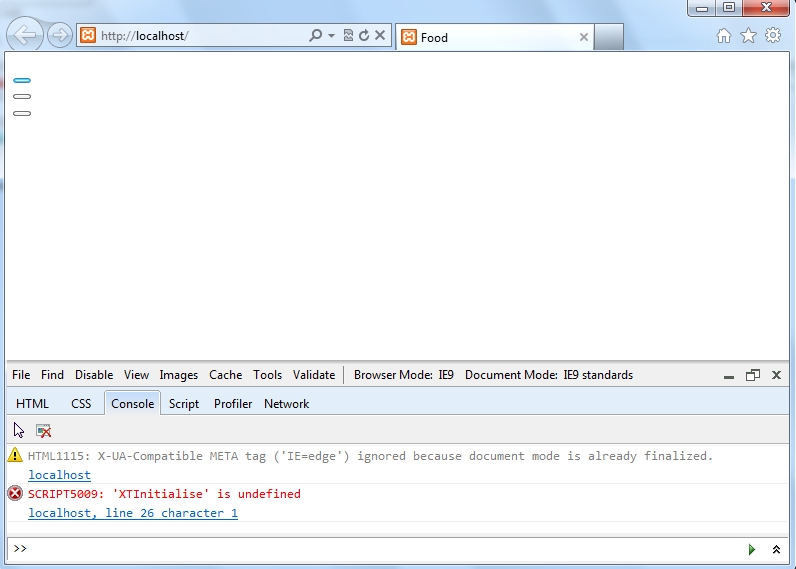
). It does not seem to have a "Dev Tools" options. However, I was able to reproduce the error in IE 8 and 9 (screenshot showing Console errors attached).
I also noticed that an error file with the following lines was created upon launching the above batch file.
Failed to bind the socket, error #50.
Probable reason is that another daemon is already running on the same port (80).
Also, I notice that a line consistently appears on the browser's staus bar for a fraction of a second just before the three "buttons" appear (second screenshot).
I also noticed that an error file with the following lines was created upon launching the above batch file.
Failed to bind the socket, error #50.
Probable reason is that another daemon is already running on the same port (80).
Also, I notice that a line consistently appears on the browser's staus bar for a fraction of a second just before the three "buttons" appear (second screenshot).

Dernière édition: il y a 13 ans 1 mois par Overlord.
Connexion ou Créer un compte pour participer à la conversation.
- JohnSmith
-
- Hors Ligne
- Modérateur
-
Moins
Plus d'informations
- Messages : 397
- Remerciements reçus 71
il y a 13 ans 1 mois #684
par JohnSmith
Réponse de JohnSmith sur le sujet Export Zip - Index.htm doesn't play
Hi Amit,
So that error message indicates that you already have a webserver running on your machine on Port 80 which is the default port for serving webpages from. It might even be that you have another instance of TinyWeb running when the second one tries to use port 80 again...
You need to make sure that you close all instances of TinyWeb and then launch again and if you are still getting the error then you must have a different web server running, perhaps Apache or IIS. If this is the case then you should run TinyWeb on a different port which is a good idea anyway... follow these instructions www.ritlabs.com/en/products/tinyweb/install.php to set port 8080 and then navigate to http://localhost:8080/
The MathJax message that you see initially is normal...
John
So that error message indicates that you already have a webserver running on your machine on Port 80 which is the default port for serving webpages from. It might even be that you have another instance of TinyWeb running when the second one tries to use port 80 again...
You need to make sure that you close all instances of TinyWeb and then launch again and if you are still getting the error then you must have a different web server running, perhaps Apache or IIS. If this is the case then you should run TinyWeb on a different port which is a good idea anyway... follow these instructions www.ritlabs.com/en/products/tinyweb/install.php to set port 8080 and then navigate to http://localhost:8080/
The MathJax message that you see initially is normal...
John
Les utilisateur(s) suivant ont remercié: Overlord
Connexion ou Créer un compte pour participer à la conversation.
- Overlord
-
- Hors Ligne
- Nouveau membre
-
Moins
Plus d'informations
- Messages : 13
- Remerciements reçus 0
il y a 13 ans 1 mois #686
par Overlord
Réponse de Overlord sur le sujet Export Zip - Index.htm doesn't play
Thanks John.
I closed Tiny.exe in Task Manager, restrared Windows (7) to be sure, and modified the batch file to read
@ echo off;
start \www\bin\TINY.EXE \www\root 8080
start iexplore http://localhost:8080/
exit
On executing the batch file, I get the same three "buttons". The error log file is blank this time and the console displays the following:
HTML1115: X-UA-Compatible META tag ('IE=edge') ignored because document mode is already finalized.
localhost:8080
SCRIPT5009: 'XTInitialise' is undefined
localhost:8080, line 26 character 1
I closed Tiny.exe in Task Manager, restrared Windows (7) to be sure, and modified the batch file to read
@ echo off;
start \www\bin\TINY.EXE \www\root 8080
start iexplore http://localhost:8080/
exit
On executing the batch file, I get the same three "buttons". The error log file is blank this time and the console displays the following:
HTML1115: X-UA-Compatible META tag ('IE=edge') ignored because document mode is already finalized.
localhost:8080
SCRIPT5009: 'XTInitialise' is undefined
localhost:8080, line 26 character 1
Connexion ou Créer un compte pour participer à la conversation.
- Overlord
-
- Hors Ligne
- Nouveau membre
-
Moins
Plus d'informations
- Messages : 13
- Remerciements reçus 0
il y a 13 ans 1 mois #687
par Overlord
Réponse de Overlord sur le sujet Export Zip - Index.htm doesn't play
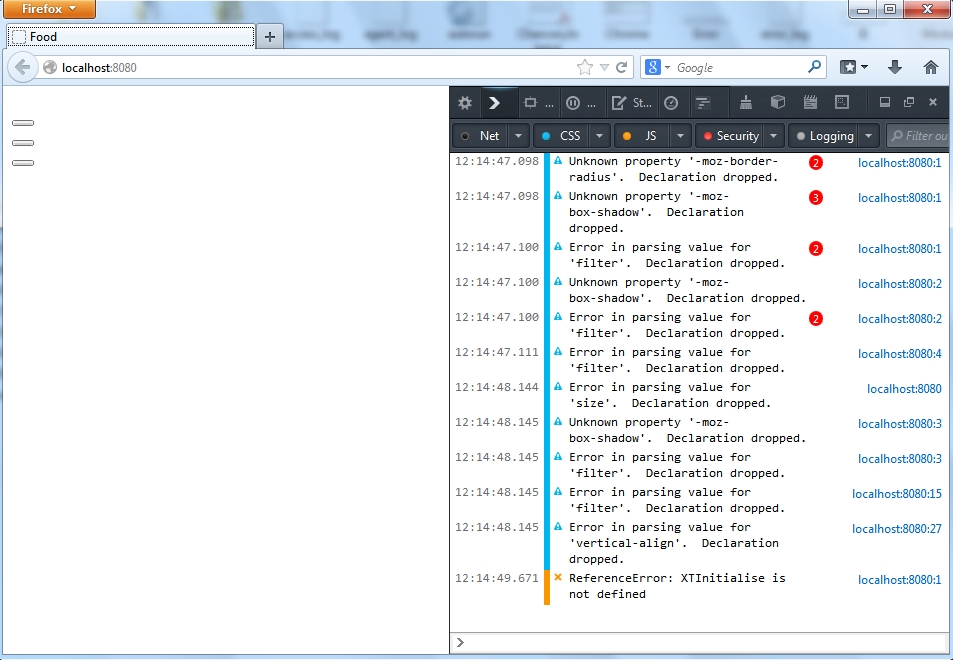
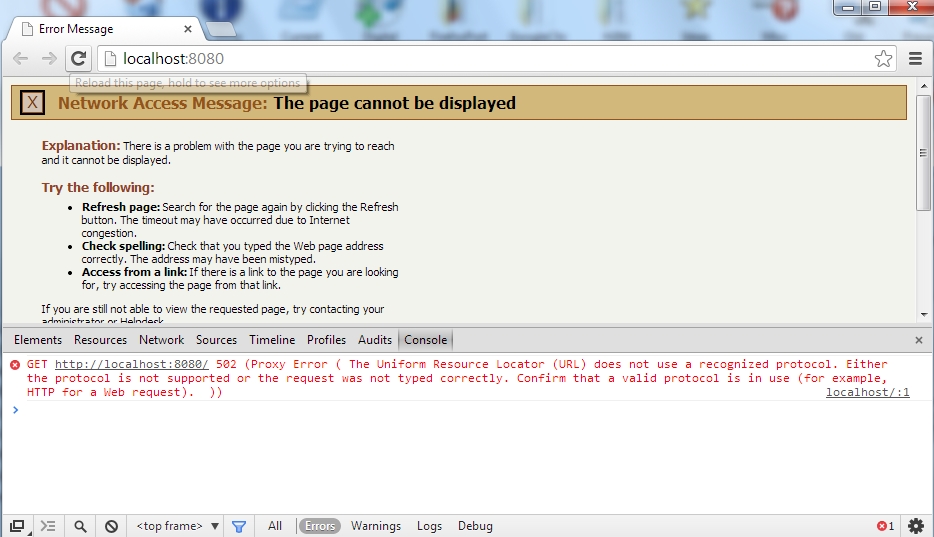
I am also attaching screenshots showing results ontained with the portable versions of Firefox and Chrome.
Connexion ou Créer un compte pour participer à la conversation.
Modérateurs: ronm, julten, JohnSmith
Temps de génération de la page : 0.408 secondes