

- Messages : 1365
- Remerciements reçus 344
Questions on getting Xerte Toolkits installed on your server and questions about authentication and user logins.
Object not found!
- tom
-

- Hors Ligne
- Administrateur
-

Moins
Plus d'informations
il y a 10 ans 1 mois #3989
par tom
Réponse de tom sur le sujet Object not found!
Where did you unzip the xerte installation package? How is the folder named that you put in the htdocs folder of MAMP?
Connexion ou Créer un compte pour participer à la conversation.
- claire.saunders@solent.ac.uk
-

- Hors Ligne
- Membre junior
-

Moins
Plus d'informations
- Messages : 25
- Remerciements reçus 0
il y a 10 ans 1 mois #3990
par claire.saunders@solent.ac.uk
Réponse de claire.saunders@solent.ac.uk sur le sujet Object not found!
I unzipped the Xerte installation package in the htdocs folder. The folder is named: xertetoolkits_3.3.MAMP servers are running and I have tried: localhost/xertetoolkits_3.3/setup/index.php and get the 'Object not found message'
I have gone to 'get info- on the htdocs and the xerte folders and set all permissions to 'Read and Write'
I have gone to 'get info- on the htdocs and the xerte folders and set all permissions to 'Read and Write'
Connexion ou Créer un compte pour participer à la conversation.
- tom
-
- Hors Ligne
- Administrateur
-
Moins
Plus d'informations
- Messages : 1365
- Remerciements reçus 344
il y a 10 ans 1 mois #3991
par tom
Réponse de tom sur le sujet Object not found!
Ok. I tried to replicate what you did on my Mac mini.
Apperently MAMP starts apache on a non-standard port, so it doesn't work out of the box, without changing the url.
Please start the MAMP control program, go to the Ports tab, and press the 'Set Web & MySQL ports to 80 & 3306, then press OK.
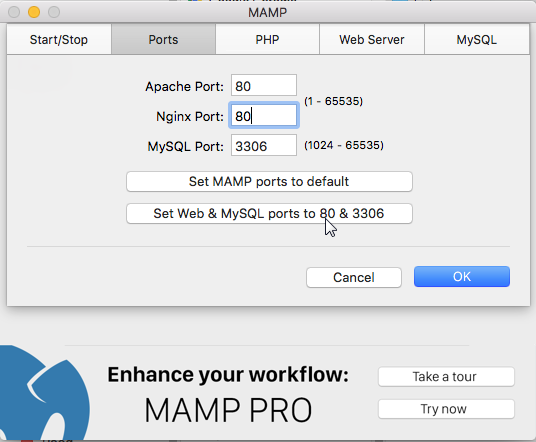
Then localhost/xertetoolkits_3.3 should take you to the first page of setup.
Apperently MAMP starts apache on a non-standard port, so it doesn't work out of the box, without changing the url.
Please start the MAMP control program, go to the Ports tab, and press the 'Set Web & MySQL ports to 80 & 3306, then press OK.
Then localhost/xertetoolkits_3.3 should take you to the first page of setup.
Connexion ou Créer un compte pour participer à la conversation.
- claire.saunders@solent.ac.uk
-
- Hors Ligne
- Membre junior
-
Moins
Plus d'informations
- Messages : 25
- Remerciements reçus 0
il y a 10 ans 1 mois #3992
par claire.saunders@solent.ac.uk
Réponse de claire.saunders@solent.ac.uk sur le sujet Object not found!
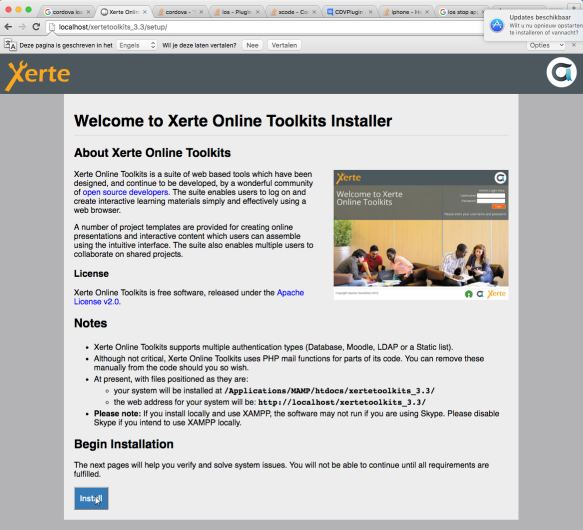
I have done this - but the Apache server then won't start (see Screenshots 1 and 2).
At one point - I was running the Pro trial version, which I have now uninstalled, a message told me that Port 80 was causing a conflict with the system Apache. I have tried different port numbers, which seem to start the server, but then I still get 'object not found'!
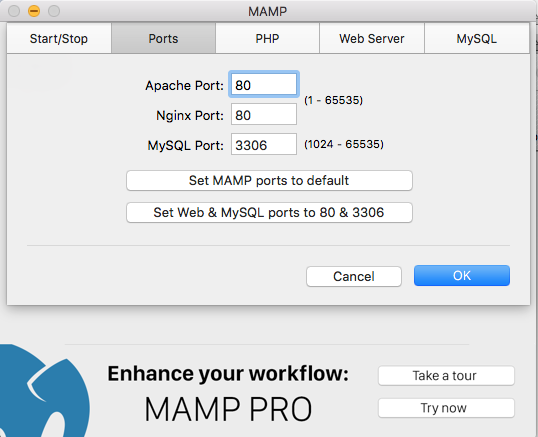
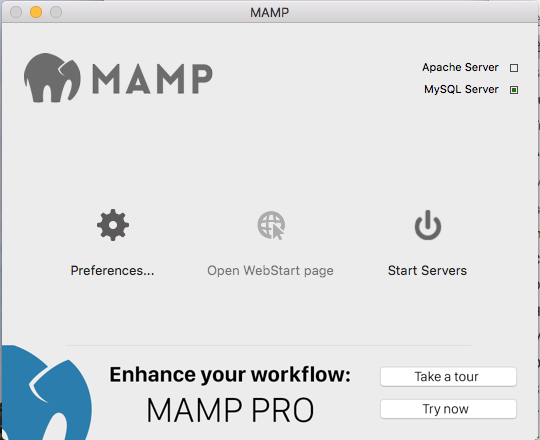
At one point - I was running the Pro trial version, which I have now uninstalled, a message told me that Port 80 was causing a conflict with the system Apache. I have tried different port numbers, which seem to start the server, but then I still get 'object not found'!
Connexion ou Créer un compte pour participer à la conversation.
- tom
-
- Hors Ligne
- Administrateur
-
Moins
Plus d'informations
- Messages : 1365
- Remerciements reçus 344
il y a 10 ans 1 mois #3993
par tom
Réponse de tom sur le sujet Object not found!
Ok, so, there is a conflict with your setup. Let's try a different route then.
Please change the Apache port to 8888 and then go to the following URL:
http://localhost:8888/xertetoolkits_3.3
Please change the Apache port to 8888 and then go to the following URL:
http://localhost:8888/xertetoolkits_3.3
Connexion ou Créer un compte pour participer à la conversation.
- claire.saunders@solent.ac.uk
-
- Hors Ligne
- Membre junior
-
Moins
Plus d'informations
- Messages : 25
- Remerciements reçus 0
il y a 10 ans 1 mois #3997
par claire.saunders@solent.ac.uk
Réponse de claire.saunders@solent.ac.uk sur le sujet Object not found!
Huge progress - thank you. However, the creation of the SQL database fails, giving the error message:
SQLSTATE[HY000] [2002] Connection refused
I changed the database host setting, so the settings now look like this:
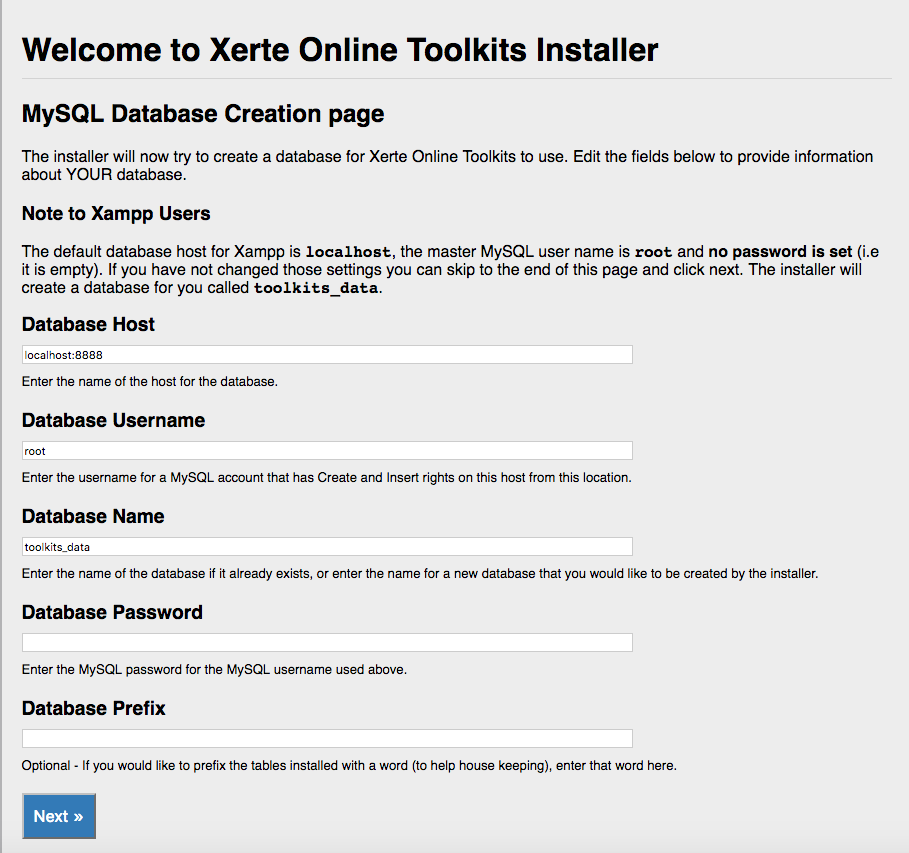
But this then returned the error message:
SQLSTATE[HY000] [2006] MySQL server has gone away
mySQL database is still showing green on MAMP dashboard.
SQLSTATE[HY000] [2002] Connection refused
I changed the database host setting, so the settings now look like this:
But this then returned the error message:
SQLSTATE[HY000] [2006] MySQL server has gone away
mySQL database is still showing green on MAMP dashboard.
Connexion ou Créer un compte pour participer à la conversation.
Temps de génération de la page : 0.984 secondes