

- Messages : 3
- Remerciements reçus 0
This is the place for questions about learning design and pedagogy; how to use different page types for different purposes.
Drag and Drop quiz onto an image
- PaddyR
-
 Auteur du sujet
- Hors Ligne
- Nouveau membre
-

Moins
Plus d'informations
il y a 6 ans 5 mois #6555
par PaddyR
Drag and Drop quiz onto an image a été créé par PaddyR
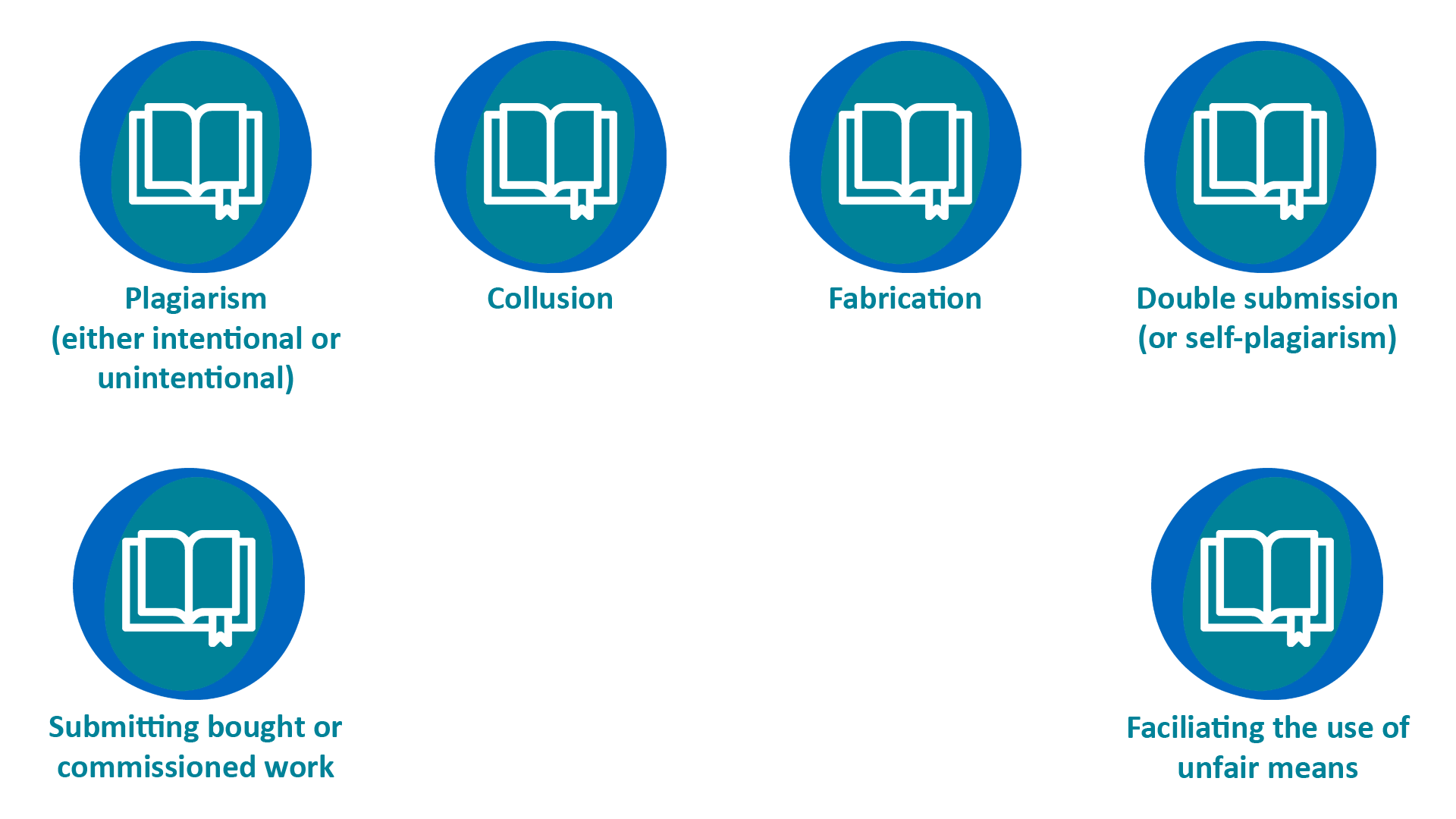
Hi, I am trying to create a drag and drop quiz using the attached image as the background. I am currently trialling it with the 'Drag and drop labelling' page.
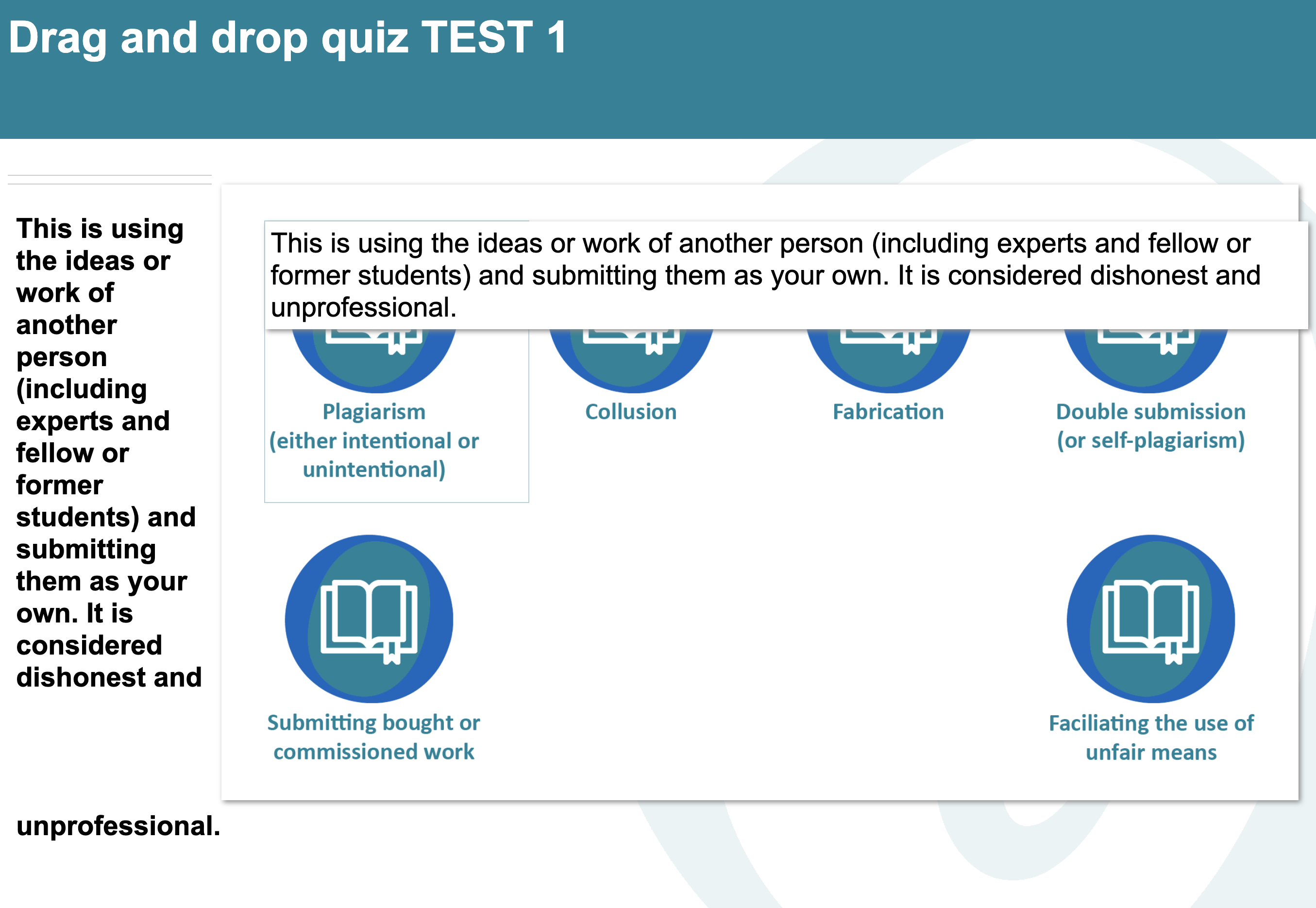
The aim is for the student to drag a definition to the corresponding area. The definitions are quite lengthy and at the moment it is not playing well! I've attached a screenshot of the mess I currently have!
Ideally, each description would pop up one by one - once the student is correct, a new description would pop up. Could anyone recommend how I could achieve this? Or should I go for a totally different approach?
Many thanks!
The aim is for the student to drag a definition to the corresponding area. The definitions are quite lengthy and at the moment it is not playing well! I've attached a screenshot of the mess I currently have!
Ideally, each description would pop up one by one - once the student is correct, a new description would pop up. Could anyone recommend how I could achieve this? Or should I go for a totally different approach?
Many thanks!
Connexion ou Créer un compte pour participer à la conversation.
- Fay
-
- Hors Ligne
- Membre elite
-

Moins
Plus d'informations
- Messages : 236
- Remerciements reçus 96
il y a 6 ans 5 mois #6556
par Fay
Réponse de Fay sur le sujet Drag and Drop quiz onto an image
Hello
I think the drag & drop labelling page works better when you have short labels and a longer description that appear when you have positioned the label correctly. See this example: www.nottingham.ac.uk/toolkits/play_8203&page=52 If you really want to use this page I'd suggest having your definitions in the text on the left of the page (labelled A, B, C etc.) and then the labels could just have A, B, C etc on them & would be easier to position without covering the whole of the image.
Alternatively another page type may suit this activity better. Try the matching text page ( www.nottingham.ac.uk/toolkits/play_8203&page=54 )
Hope this helps
Fay
I think the drag & drop labelling page works better when you have short labels and a longer description that appear when you have positioned the label correctly. See this example: www.nottingham.ac.uk/toolkits/play_8203&page=52 If you really want to use this page I'd suggest having your definitions in the text on the left of the page (labelled A, B, C etc.) and then the labels could just have A, B, C etc on them & would be easier to position without covering the whole of the image.
Alternatively another page type may suit this activity better. Try the matching text page ( www.nottingham.ac.uk/toolkits/play_8203&page=54 )
Hope this helps
Fay
Les utilisateur(s) suivant ont remercié: PaddyR
Connexion ou Créer un compte pour participer à la conversation.
- PaddyR
-
Auteur du sujet
- Hors Ligne
- Nouveau membre
-
Moins
Plus d'informations
- Messages : 3
- Remerciements reçus 0
il y a 6 ans 5 mois #6557
par PaddyR
Réponse de PaddyR sur le sujet Drag and Drop quiz onto an image
Thank you for the quick response, Fay. It's really appreciated.
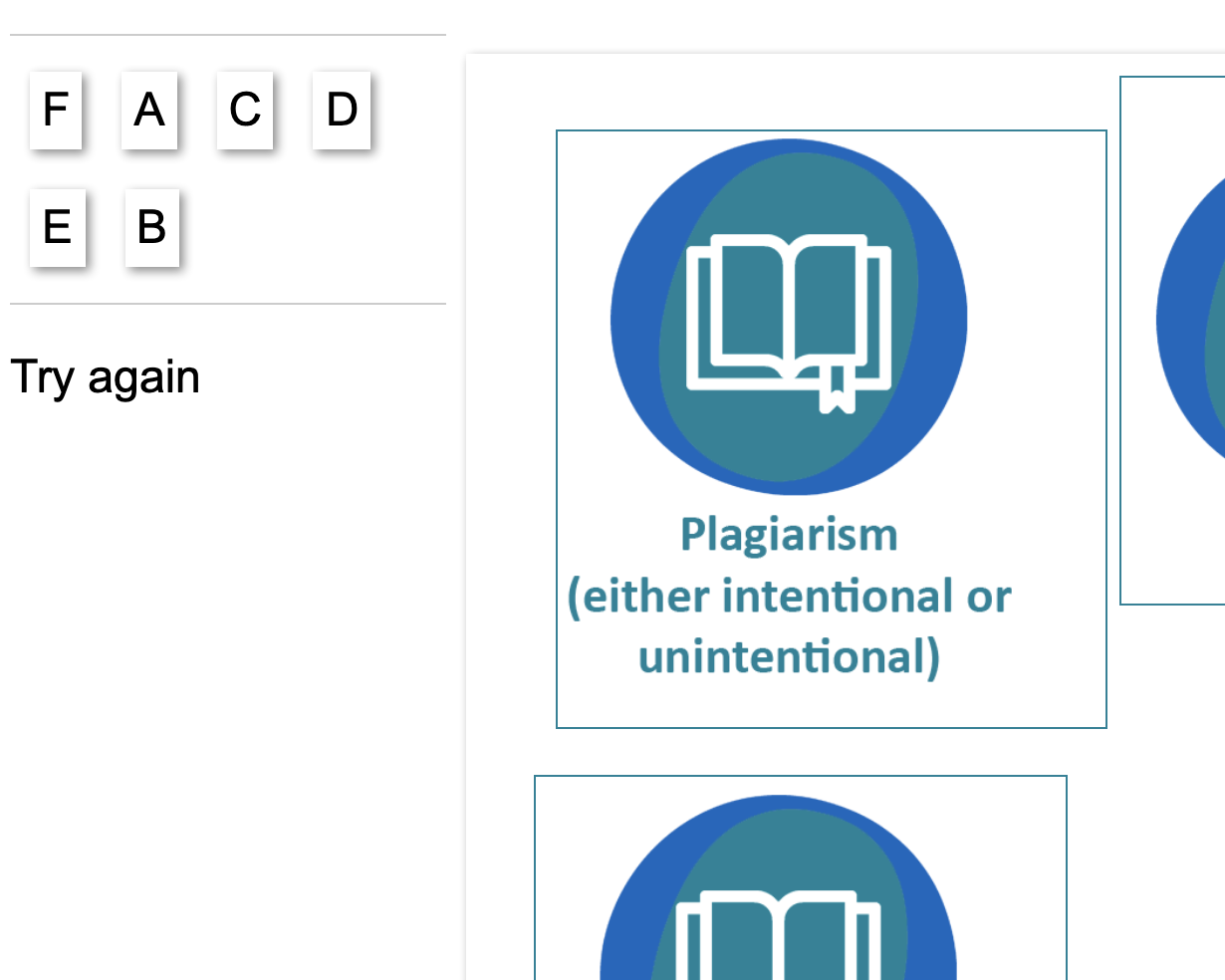
Your idea would work perfectly, but I am having a problem with the text description on the page. The label shows, but I don't see the text at any point - either when the label is selected or when it is placed. I have attached two screenshots to hopefully explain.
Your idea would work perfectly, but I am having a problem with the text description on the page. The label shows, but I don't see the text at any point - either when the label is selected or when it is placed. I have attached two screenshots to hopefully explain.
Connexion ou Créer un compte pour participer à la conversation.
- Fay
-
- Hors Ligne
- Membre elite
-
Moins
Plus d'informations
- Messages : 236
- Remerciements reçus 96
il y a 6 ans 5 mois #6558
par Fay
Réponse de Fay sur le sujet Drag and Drop quiz onto an image
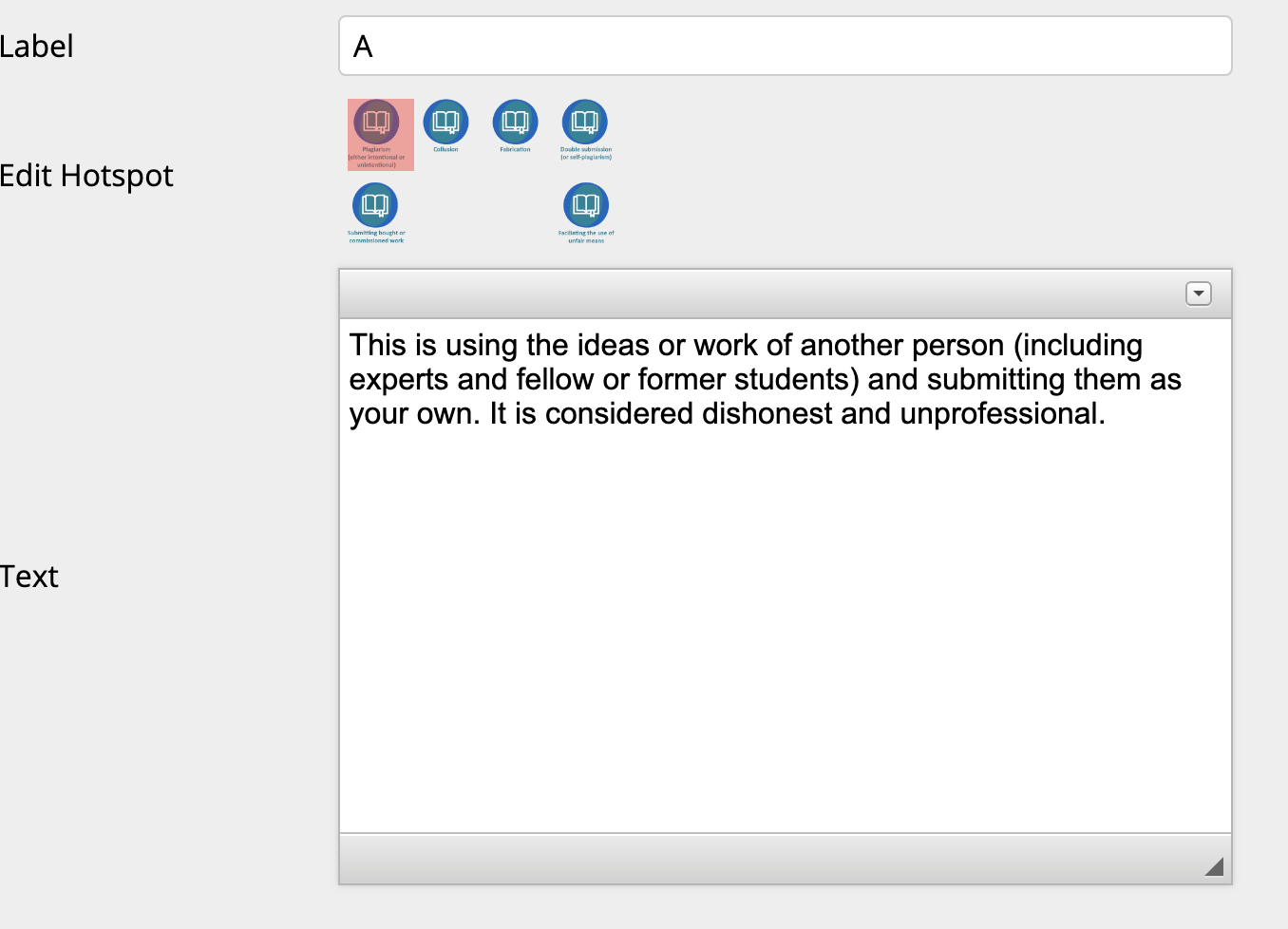
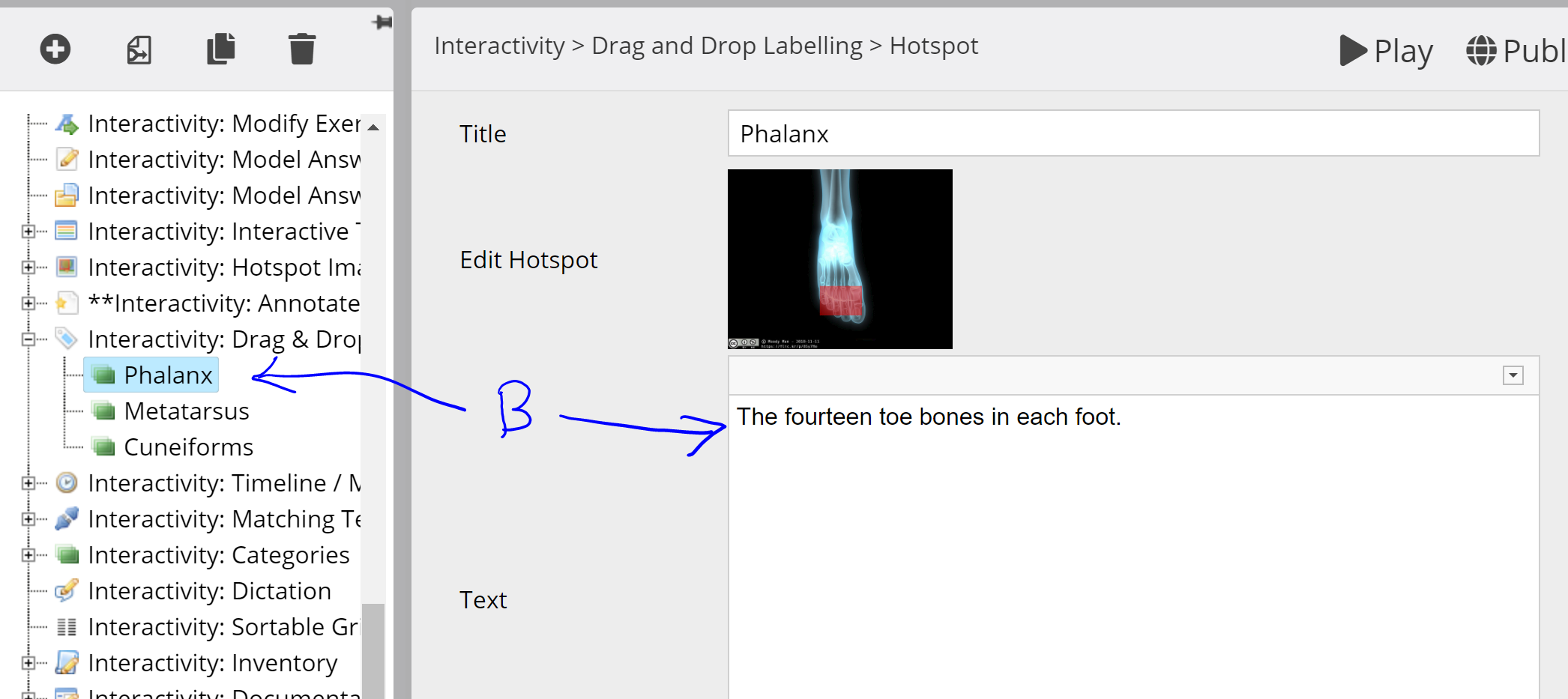
I've attached a couple of screenshots. If you have the page (rather than a label) selected in the editor then the text you enter here is always visible on screen (A). If you add some text to one of the hotspots ( then this will only appear on screen when the label is placed correctly.
then this will only appear on screen when the label is placed correctly. 
Les utilisateur(s) suivant ont remercié: PaddyR
Connexion ou Créer un compte pour participer à la conversation.
- PaddyR
-
Auteur du sujet
- Hors Ligne
- Nouveau membre
-
Moins
Plus d'informations
- Messages : 3
- Remerciements reçus 0
il y a 6 ans 5 mois #6559
par PaddyR
Réponse de PaddyR sur le sujet Drag and Drop quiz onto an image
For some reason, the description doesn't pop up when the correct label is place - this isn't a problem for this tutorial though. I think the matching sentence is the way to go for this activity. Thanks a lot for your help.
Connexion ou Créer un compte pour participer à la conversation.
Modérateurs: ingdon
Temps de génération de la page : 0.169 secondes