

- Messages : 179
- Remerciements reçus 0
This is the place for questions about learning design and pedagogy; how to use different page types for different purposes.
Multiple choice multi selection quiz
- annem
-
 Auteur du sujet
- Hors Ligne
- Membre elite
-

Moins
Plus d'informations
il y a 7 ans 8 mois #5642
par annem
Multiple choice multi selection quiz a été créé par annem
Hi All,
A colleague of mine is developing a Xerte which needs to include a multiple choice quiz which has multiple correct answers in the quiz, eg 3 out of 7 answers are correct.
It is important that the navigation buttons are not displayed, so that the user (student) cannot move forward until he/she gets the 3 correct answers.
Using 'Navigation' in the 'Optional Properties' has allowed us to disable the NEXT/BACK and HOME buttons on the quiz page.
We have added a blank page (Plain Text page type) as a destination when all three correct answers have been selected and on this page we have added an image and used the image as a button link using 'Xerte Page Link' to dictate that when the user clicks on the image (a button) they can move to the next page (which happens to be the next quiz).
Only the 3 correct answers have a link (text highlighted and using Xerte Page link) to the Plain Text page.
But, we have found that if a user (student) selects for example 2 correct answers and 1 incorrect answer, in the feedback it states 'Please Try Again' (we have written please try again in the incorrect section of the wrong answers) but also shows the link to plain text page with the image to enable the user/student to move to the next quiz.
How can we only have the link to the next 'Plain text page' (with the button which jumps to next quiz) only after the 3 correct answers have been selected.
We do not want to see the link on incorrect feedback. We just want to see 'Please Try Again'.
Hope you can help us with this.
Thanks in advance.
Anne
A colleague of mine is developing a Xerte which needs to include a multiple choice quiz which has multiple correct answers in the quiz, eg 3 out of 7 answers are correct.
It is important that the navigation buttons are not displayed, so that the user (student) cannot move forward until he/she gets the 3 correct answers.
Using 'Navigation' in the 'Optional Properties' has allowed us to disable the NEXT/BACK and HOME buttons on the quiz page.
We have added a blank page (Plain Text page type) as a destination when all three correct answers have been selected and on this page we have added an image and used the image as a button link using 'Xerte Page Link' to dictate that when the user clicks on the image (a button) they can move to the next page (which happens to be the next quiz).
Only the 3 correct answers have a link (text highlighted and using Xerte Page link) to the Plain Text page.
But, we have found that if a user (student) selects for example 2 correct answers and 1 incorrect answer, in the feedback it states 'Please Try Again' (we have written please try again in the incorrect section of the wrong answers) but also shows the link to plain text page with the image to enable the user/student to move to the next quiz.
How can we only have the link to the next 'Plain text page' (with the button which jumps to next quiz) only after the 3 correct answers have been selected.
We do not want to see the link on incorrect feedback. We just want to see 'Please Try Again'.
Hope you can help us with this.
Thanks in advance.
Anne
Connexion ou Créer un compte pour participer à la conversation.
- ronm
-

- Hors Ligne
- Administrateur
-

il y a 7 ans 8 mois #5647
par ronm
Xerte developer & trainer
e-learning & m-learning consultant
mitchellmedia.co.uk | xerteacademy.com | learningapps.co.uk
Note: Support here is voluntary and meant for users to support each other.
Need direct commercial support with Xerte? mitchellmedia.co.uk/contact/
Réponse de ronm sur le sujet Multiple choice multi selection quiz
Hi Anne
here's one way you could achieve this:
1. In the language field for Multi Answer Correct add something like: You have selected all the correct answers. Click next to continue.
2. When the user clicks check the core Xerte code is calculating what feedback to display and only shows that Multi Answer Correct feedback if all the answers are correct so we can use jquery to check for that and re-enable the next button if that part of the feedback is displayed.
3. Add an optional script property to that page and add the following script:
When the user clicks the check button the core xerte code executes and displays the multi correct feedback and then this extra script looks for that sub string e.g. "Click next to continue." and if found re-enables the next button.
There are other ways you could do this but this should suffice for what I think you are trying to achieve. Please try it and report back here for anyone else reading this thread.
HTH
Ron
here's one way you could achieve this:
1. In the language field for Multi Answer Correct add something like: You have selected all the correct answers. Click next to continue.
2. When the user clicks check the core Xerte code is calculating what feedback to display and only shows that Multi Answer Correct feedback if all the answers are correct so we can use jquery to check for that and re-enable the next button if that part of the feedback is displayed.
3. Add an optional script property to that page and add the following script:
Code:
$("#checkBtn").click(function(){
if($('p').text().indexOf('Click next to continue.') != -1){
$("#x_nextBtn").button("enable");
}
});
There are other ways you could do this but this should suffice for what I think you are trying to achieve. Please try it and report back here for anyone else reading this thread.
HTH
Ron
Xerte developer & trainer
e-learning & m-learning consultant
mitchellmedia.co.uk | xerteacademy.com | learningapps.co.uk
Note: Support here is voluntary and meant for users to support each other.
Need direct commercial support with Xerte? mitchellmedia.co.uk/contact/
Connexion ou Créer un compte pour participer à la conversation.
- annem
-
Auteur du sujet
- Hors Ligne
- Membre elite
-
Moins
Plus d'informations
- Messages : 179
- Remerciements reçus 0
il y a 7 ans 8 mois #5650
par annem
Réponse de annem sur le sujet Multiple choice multi selection quiz
Hi Ron,
Thank you, we will try this.
Best wishes
Anne
Thank you, we will try this.
Best wishes
Anne
Connexion ou Créer un compte pour participer à la conversation.
- annem
-
Auteur du sujet
- Hors Ligne
- Membre elite
-
Moins
Plus d'informations
- Messages : 179
- Remerciements reçus 0
il y a 7 ans 8 mois #5651
par annem
Réponse de annem sur le sujet Multiple choice multi selection quiz
Hi All
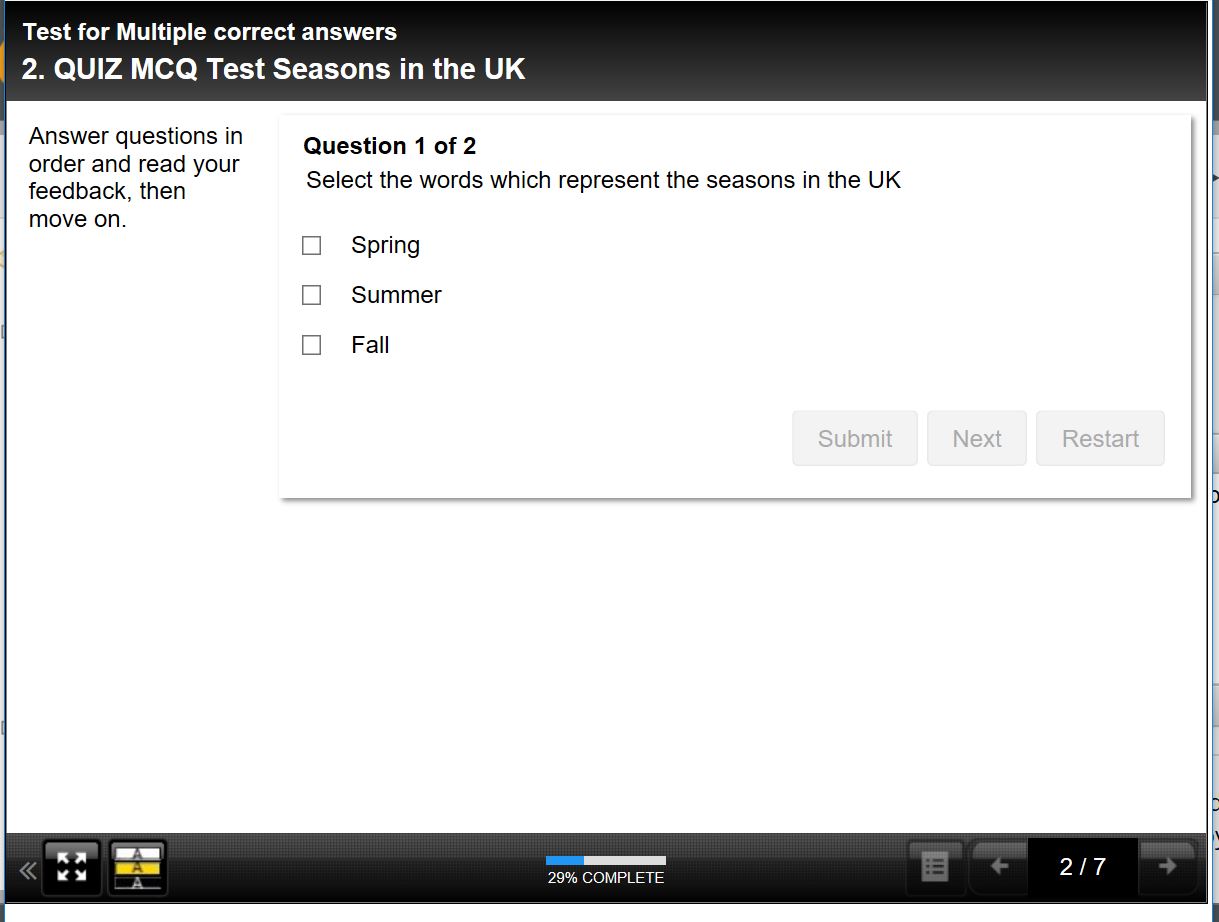
Page type is Quiz page type
1) Multiple choice
2) Multiple Answers
3) Two out of four answers are 'Correct'
4) Navigation buttons disabled (HOME, NEXT, BACK/PREVIOUS)
5) In the language field for Multi Answer Correct add something like: You have selected all the correct answers. Click next to continue.
6) Added script code
$("#checkBtn").click(function(){
if($('p').text().indexOf('Click next to continue.') != -1){
$("#x_nextBtn").button("enable");
}
});
Problem
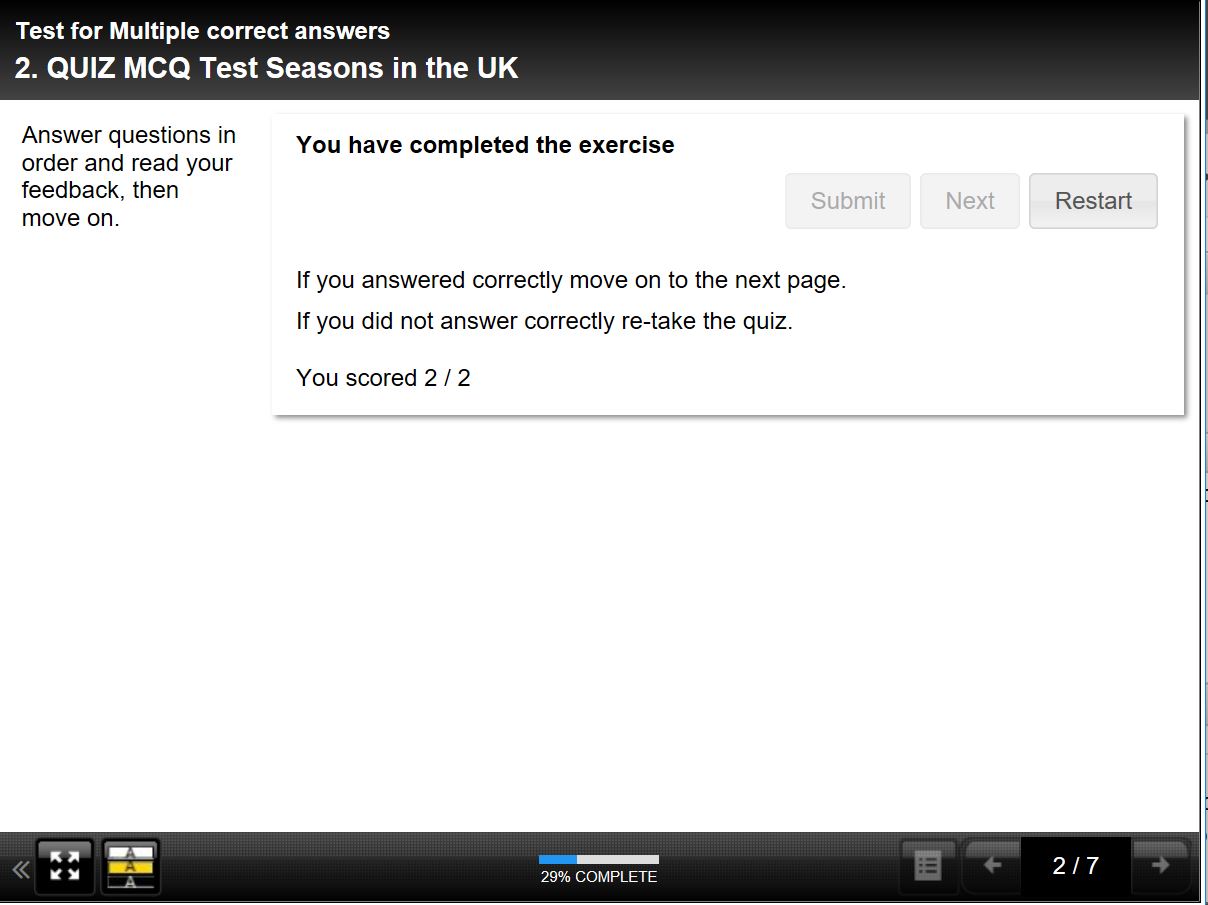
If we get multiple choice answers correct, we get the 'Correct' message and the text we have added in the language 'Click NEXT to continue', but when clicking on NEXT we get overall mark, eg 2/2 and a 'Restart' button. Clicking on the 'Restart' button takes us back to start the quiz again, and we cannot move forward to the next page, because I have intentionally disabled the NEXT, BACK/PREVIOUS, HOME navigation buttons.
If we get multiple choice answers incorrect, get a message with 'Not correct' as well as 'Yes Correct' (might get one incorrect and two correct) and the message says 'Not correct' and can click on 'Next' where you can try again by clicking the 'Restart' button. But then if get correct the 'Restart' button just takes us back to the beginning of the quiz.
We want the navigation buttons BACK/PREVIOUS, NEXT and HOME disabled to force the user to take the quiz, but we want to remove the 'Restart' button and ensure that a 'Next' button is available to take us to the next page, if all answers in the multiple choice are correct. But if multiple answers in multiple choice are not correct, then 'Restart' is OK for the user to do again.
Is this possible please?
I think we are nearly there with this.
Thanks in advance for your help and I think other folk creating Xerte Quiz with multiple choice and multiple correct answers will find the solution very useful. I think it will be used a lot.
I attach screenshots too.
Thank you in advance for your help.
Anne
Page type is Quiz page type
1) Multiple choice
2) Multiple Answers
3) Two out of four answers are 'Correct'
4) Navigation buttons disabled (HOME, NEXT, BACK/PREVIOUS)
5) In the language field for Multi Answer Correct add something like: You have selected all the correct answers. Click next to continue.
6) Added script code
$("#checkBtn").click(function(){
if($('p').text().indexOf('Click next to continue.') != -1){
$("#x_nextBtn").button("enable");
}
});
Problem
If we get multiple choice answers correct, we get the 'Correct' message and the text we have added in the language 'Click NEXT to continue', but when clicking on NEXT we get overall mark, eg 2/2 and a 'Restart' button. Clicking on the 'Restart' button takes us back to start the quiz again, and we cannot move forward to the next page, because I have intentionally disabled the NEXT, BACK/PREVIOUS, HOME navigation buttons.
If we get multiple choice answers incorrect, get a message with 'Not correct' as well as 'Yes Correct' (might get one incorrect and two correct) and the message says 'Not correct' and can click on 'Next' where you can try again by clicking the 'Restart' button. But then if get correct the 'Restart' button just takes us back to the beginning of the quiz.
We want the navigation buttons BACK/PREVIOUS, NEXT and HOME disabled to force the user to take the quiz, but we want to remove the 'Restart' button and ensure that a 'Next' button is available to take us to the next page, if all answers in the multiple choice are correct. But if multiple answers in multiple choice are not correct, then 'Restart' is OK for the user to do again.
Is this possible please?
I think we are nearly there with this.
Thanks in advance for your help and I think other folk creating Xerte Quiz with multiple choice and multiple correct answers will find the solution very useful. I think it will be used a lot.
I attach screenshots too.
Thank you in advance for your help.
Anne
Connexion ou Créer un compte pour participer à la conversation.
- annem
-
Auteur du sujet
- Hors Ligne
- Membre elite
-
Moins
Plus d'informations
- Messages : 179
- Remerciements reçus 0
il y a 7 ans 7 mois #5652
par annem
Réponse de annem sur le sujet Multiple choice multi selection quiz
Hi All,
I confirm that the instruction kindly provided by Ron does work when using the Interactivity > Multiple Choice Question page type.
So do not use the 'Quiz' page type (which I had previously used).
- Interactivity > Multiple Choice Question
- Two multiple choice quizzes with correct and incorrect answers.
- Disable the Navigation options on the pages
- Add the code to the script field area on the pages
- Click the 'Language' option to reveal the language pack options
- Add the extra sentence to read: 'You have selected all the correct answers. Click next to continue.
- Preview the Xerte
Thank you very much for your help with this.
Anne
PS: I haven't tried this with the page type Multiple Choice Connector.
I confirm that the instruction kindly provided by Ron does work when using the Interactivity > Multiple Choice Question page type.
So do not use the 'Quiz' page type (which I had previously used).
- Interactivity > Multiple Choice Question
- Two multiple choice quizzes with correct and incorrect answers.
- Disable the Navigation options on the pages
- Add the code to the script field area on the pages
- Click the 'Language' option to reveal the language pack options
- Add the extra sentence to read: 'You have selected all the correct answers. Click next to continue.
- Preview the Xerte
Thank you very much for your help with this.
Anne
PS: I haven't tried this with the page type Multiple Choice Connector.
Connexion ou Créer un compte pour participer à la conversation.
Modérateurs: ingdon
Temps de génération de la page : 0.873 secondes