

- Messages : 17
- Remerciements reçus 0
Report any technical problems you discover and discuss solutions.
Browser compatibility.
- mackswel
-
 Auteur du sujet
- Hors Ligne
- Nouveau membre
-

Moins
Plus d'informations
il y a 11 ans 2 mois #3028
par mackswel
Browser compatibility. a été créé par mackswel
Hi,
We have a v3.0 server installation which is not yet public facing.
Everything has been fine for me when I've made resources and used them on Google Chrome but as I sent samples of different Learning objects to staff using different browsers they said they were having issues. I have had a look and on internet explorer:
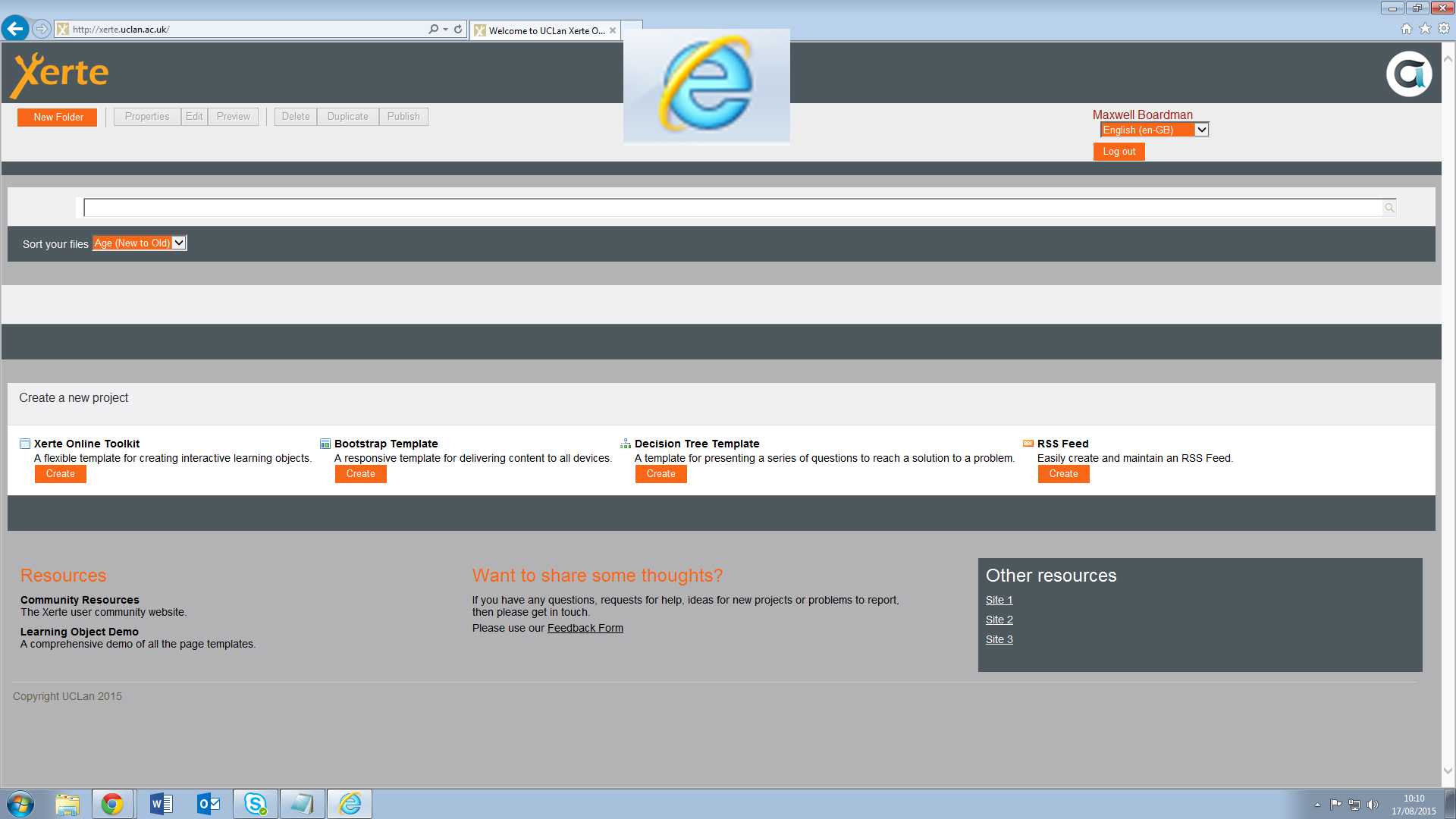
the main interface for Xerte where you create templates and manage your workspace doesn't work or show any previously made projects.
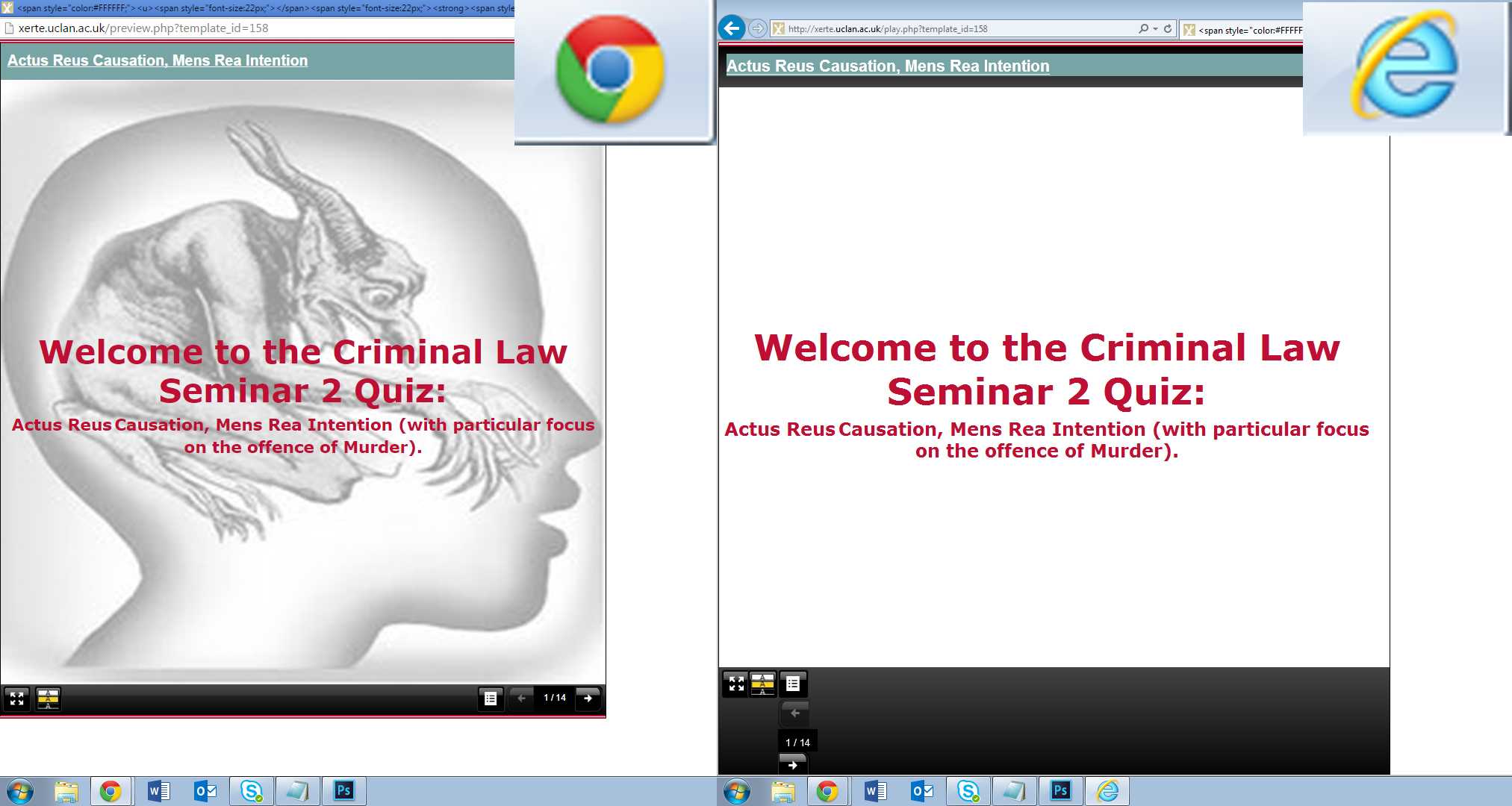
the bootstrap template works but Online toolkits elements of style don't show and the next page arrows stop working halfway through the learning object. However embedding LO's inside bootstrap do work.
I have attached images of the workspace in IE
and The difference between the LO's on IE and chrome.
Thanks for your help.
We have a v3.0 server installation which is not yet public facing.
Everything has been fine for me when I've made resources and used them on Google Chrome but as I sent samples of different Learning objects to staff using different browsers they said they were having issues. I have had a look and on internet explorer:
the main interface for Xerte where you create templates and manage your workspace doesn't work or show any previously made projects.
the bootstrap template works but Online toolkits elements of style don't show and the next page arrows stop working halfway through the learning object. However embedding LO's inside bootstrap do work.
I have attached images of the workspace in IE
and The difference between the LO's on IE and chrome.
Thanks for your help.
Connexion ou Créer un compte pour participer à la conversation.
- ronm
-

- Hors Ligne
- Administrateur
-

il y a 11 ans 2 mois #3029
par ronm
Xerte developer & trainer
e-learning & m-learning consultant
mitchellmedia.co.uk | xerteacademy.com | learningapps.co.uk
Note: Support here is voluntary and meant for users to support each other.
Need direct commercial support with Xerte? mitchellmedia.co.uk/contact/
Réponse de ronm sur le sujet Browser compatibility.
There are potentially two issues/solutions here...
1. Make sure everyone clears browser cache/offline files
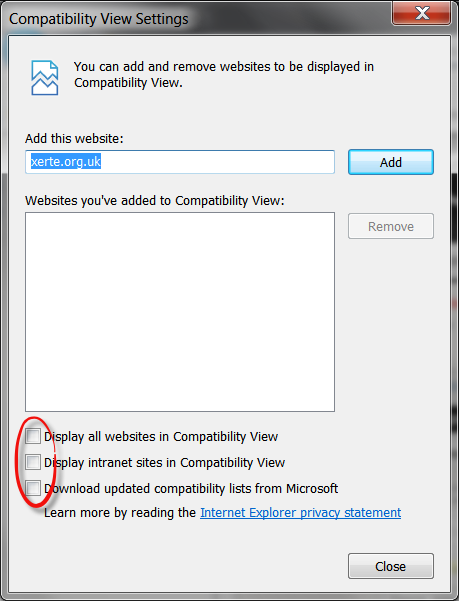
2. In IE make sure compatibility mode isn't defaulting to on via Tools > Compatibility View settings e.g. uncheck each of the boxes:
1. Make sure everyone clears browser cache/offline files
2. In IE make sure compatibility mode isn't defaulting to on via Tools > Compatibility View settings e.g. uncheck each of the boxes:
Xerte developer & trainer
e-learning & m-learning consultant
mitchellmedia.co.uk | xerteacademy.com | learningapps.co.uk
Note: Support here is voluntary and meant for users to support each other.
Need direct commercial support with Xerte? mitchellmedia.co.uk/contact/
Les utilisateur(s) suivant ont remercié: mackswel
Connexion ou Créer un compte pour participer à la conversation.
- mackswel
-
Auteur du sujet
- Hors Ligne
- Nouveau membre
-
Moins
Plus d'informations
- Messages : 17
- Remerciements reçus 0
il y a 11 ans 2 mois #3030
par mackswel
Réponse de mackswel sur le sujet Browser compatibility.
Thanks again Ron,
The issue was with the compatibility settings.
Much appreciated,
Max
The issue was with the compatibility settings.
Much appreciated,
Max
Connexion ou Créer un compte pour participer à la conversation.
- mackswel
-
Auteur du sujet
- Hors Ligne
- Nouveau membre
-
Moins
Plus d'informations
- Messages : 17
- Remerciements reçus 0
il y a 11 ans 2 mois #3036
par mackswel
Réponse de mackswel sur le sujet Browser compatibility.
Hi Ron,
Sorry to bother you again.
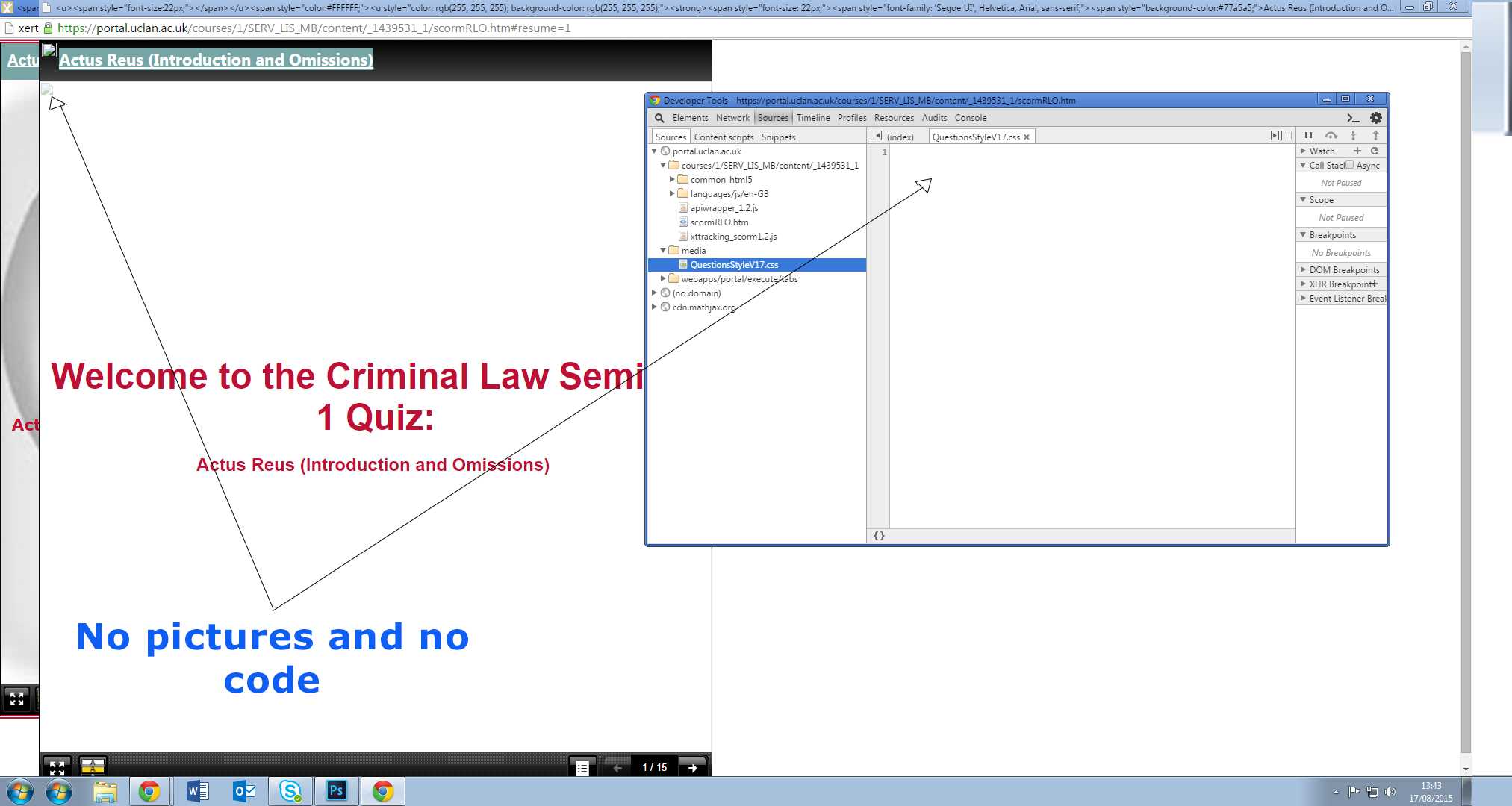
I have having the same issue with XOT LO losing all it's data as in the second picture I attached. This time it is in Chrome, Explorer and Firefox and it is after I export the file as a SCORM 2004 3rd edition package or 1.2 package (I tried both) and upload it to blackboard. All the images and CSS styles are lost.
Do you have any suggestions?
Sorry to bother you again.
I have having the same issue with XOT LO losing all it's data as in the second picture I attached. This time it is in Chrome, Explorer and Firefox and it is after I export the file as a SCORM 2004 3rd edition package or 1.2 package (I tried both) and upload it to blackboard. All the images and CSS styles are lost.
Do you have any suggestions?
Connexion ou Créer un compte pour participer à la conversation.
- ronm
-
- Hors Ligne
- Administrateur
-
il y a 11 ans 2 mois #3038
par ronm
Xerte developer & trainer
e-learning & m-learning consultant
mitchellmedia.co.uk | xerteacademy.com | learningapps.co.uk
Note: Support here is voluntary and meant for users to support each other.
Need direct commercial support with Xerte? mitchellmedia.co.uk/contact/
Réponse de ronm sur le sujet Browser compatibility.
Hi Max
did you publish before export?
Does the LO and css work ok when playing from Xerte?
Can you share a public link?
If you extract the zip and view locally does it work ok?
If you look at the xml is the link to the css file correct?
Can you share a copy of the exported zip?
HTH
Ron
did you publish before export?
Does the LO and css work ok when playing from Xerte?
Can you share a public link?
If you extract the zip and view locally does it work ok?
If you look at the xml is the link to the css file correct?
Can you share a copy of the exported zip?
HTH
Ron
Xerte developer & trainer
e-learning & m-learning consultant
mitchellmedia.co.uk | xerteacademy.com | learningapps.co.uk
Note: Support here is voluntary and meant for users to support each other.
Need direct commercial support with Xerte? mitchellmedia.co.uk/contact/
Connexion ou Créer un compte pour participer à la conversation.
- mackswel
-
Auteur du sujet
- Hors Ligne
- Nouveau membre
-
Moins
Plus d'informations
- Messages : 17
- Remerciements reçus 0
il y a 11 ans 2 mois #3039
par mackswel
Réponse de mackswel sur le sujet Browser compatibility.
Hi Ron,
Yes it was published before exporting.
The link is xerte.uclan.ac.uk/play.php?template_id=180 but we don't have a public facing installation so I think I'm right in saying you won't be able to view it using that and maybe that is the root of my problem. But it does work for me and other people here using that link and playing through Xerte.
If I try to access it locally I get an error message:
'Unable to locate the LMS's API documentation' 'the project data was not loaded'
The XML link looks to be right other than the problem which you have told me about before regarding the first forward slash before media
e.g. filelocation + /media/pic0014 >>>>>>>>>> filelocation + media/pic0014
But I have tried it with and without the forward slash: with it I get no media showing as in the image and without it it will no open at all.
I have attached the Exported SCORM 2004 3rd edition as I assumed that is the package I need to use if I have a contents menu?
Yes it was published before exporting.
The link is xerte.uclan.ac.uk/play.php?template_id=180 but we don't have a public facing installation so I think I'm right in saying you won't be able to view it using that and maybe that is the root of my problem. But it does work for me and other people here using that link and playing through Xerte.
If I try to access it locally I get an error message:
'Unable to locate the LMS's API documentation' 'the project data was not loaded'
The XML link looks to be right other than the problem which you have told me about before regarding the first forward slash before media
e.g. filelocation + /media/pic0014 >>>>>>>>>> filelocation + media/pic0014
But I have tried it with and without the forward slash: with it I get no media showing as in the image and without it it will no open at all.
I have attached the Exported SCORM 2004 3rd edition as I assumed that is the package I need to use if I have a contents menu?
Connexion ou Créer un compte pour participer à la conversation.
Modérateurs: ronm, julten, JohnSmith
Temps de génération de la page : 0.149 secondes