

- Messages : 7
- Remerciements reçus 0
Report any technical problems you discover and discuss solutions.
Corrupted Xerte Project?
- mnutbeem
-
 Auteur du sujet
- Hors Ligne
- Nouveau membre
-

Moins
Plus d'informations
il y a 7 ans 11 mois - il y a 7 ans 11 mois #5493
par mnutbeem
Corrupted Xerte Project? a été créé par mnutbeem
Hi,
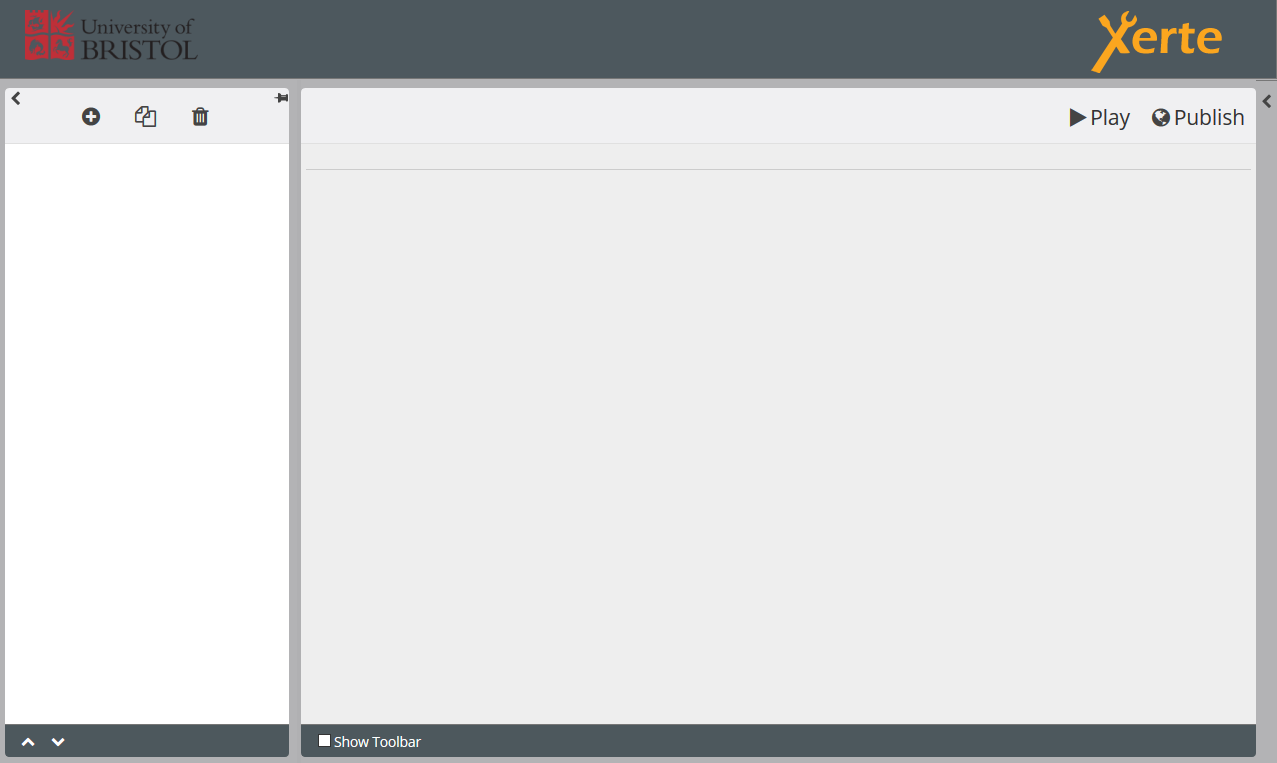
We've had some students working collaboratively on a Xerte project but it appears to have become corrupted. The project file appears in respective editors workspace folders, however when the editing view is launched the project treeview is not displayed and we cannot add anything, see attached image.
If I move the file into my folder via the admin panel and then try to open I get a 'locked for editing' message (it's not currently being edited). Trying to play it just displays the loading circle spinning infinitely. I've tried copying it and opening the copy but the same behaviour persists.
I can see the files that were used in the object within the Media and Quota section of properties.
Any suggestions?
We've had some students working collaboratively on a Xerte project but it appears to have become corrupted. The project file appears in respective editors workspace folders, however when the editing view is launched the project treeview is not displayed and we cannot add anything, see attached image.
If I move the file into my folder via the admin panel and then try to open I get a 'locked for editing' message (it's not currently being edited). Trying to play it just displays the loading circle spinning infinitely. I've tried copying it and opening the copy but the same behaviour persists.
I can see the files that were used in the object within the Media and Quota section of properties.
Any suggestions?
Dernière édition: il y a 7 ans 11 mois par mnutbeem. Raison: added image
Connexion ou Créer un compte pour participer à la conversation.
- tom
-

- Hors Ligne
- Administrateur
-

Moins
Plus d'informations
- Messages : 1365
- Remerciements reçus 344
il y a 7 ans 11 mois - il y a 7 ans 11 mois #5494
par tom
Réponse de tom sur le sujet Corrupted Xerte Project?
Hi,
When this happens, most of the time the xml file has become corrupt. We continuously try to improve the software to prevent this from happening, but sometimes this does happen (for example pasting content from a Word document seems to cause this sometimes).
There are two ways to verify if this is the case and fix the issue:
1. If you have direct access to the server, go to the USER-FILES folder of the learning object. The correct folder starts with the template id number of the LO. The template id is shown in the workspace. Get the preview.xml file and open on your PC in a verifying XML editor like Altova's XMLSpy (not free) or XML Copy Editor ( xml-copy-editor.sourceforge.net ) and check it's well-formedness. Fix any issues mentioned by the software and place the file back. Everyting should be OK again.
2. If you have no direct access, export the LO and extract on your PC and do the same for the file template.xml. After fixing all issues, zip the folder again and import LO.
When this happens, most of the time the xml file has become corrupt. We continuously try to improve the software to prevent this from happening, but sometimes this does happen (for example pasting content from a Word document seems to cause this sometimes).
There are two ways to verify if this is the case and fix the issue:
1. If you have direct access to the server, go to the USER-FILES folder of the learning object. The correct folder starts with the template id number of the LO. The template id is shown in the workspace. Get the preview.xml file and open on your PC in a verifying XML editor like Altova's XMLSpy (not free) or XML Copy Editor ( xml-copy-editor.sourceforge.net ) and check it's well-formedness. Fix any issues mentioned by the software and place the file back. Everyting should be OK again.
2. If you have no direct access, export the LO and extract on your PC and do the same for the file template.xml. After fixing all issues, zip the folder again and import LO.
Dernière édition: il y a 7 ans 11 mois par tom.
Connexion ou Créer un compte pour participer à la conversation.
- mnutbeem
-
Auteur du sujet
- Hors Ligne
- Nouveau membre
-
Moins
Plus d'informations
- Messages : 7
- Remerciements reçus 0
il y a 7 ans 11 mois #5495
par mnutbeem
Réponse de mnutbeem sur le sujet Corrupted Xerte Project?
Thanks Tom, much appreciated! Will see if I can get direct access to the server otherwise will try plan b.
Connexion ou Créer un compte pour participer à la conversation.
Modérateurs: ronm, julten, JohnSmith
Temps de génération de la page : 0.860 secondes