
This is an old revision of the document!
Table of Contents
Interactivity > Categories
A page that requires the learner to categorise items by dragging them into columns. Items are presented one by one in random order; after you have placed one item, the next appears at the top of the page. Task completion can be checked at any point, and items in an incorrect category can be dragged into another column before checking again.
Example demo
or view at Xerte Page Types > Interactivity: Categories (opens in new tab).
Editor Interface
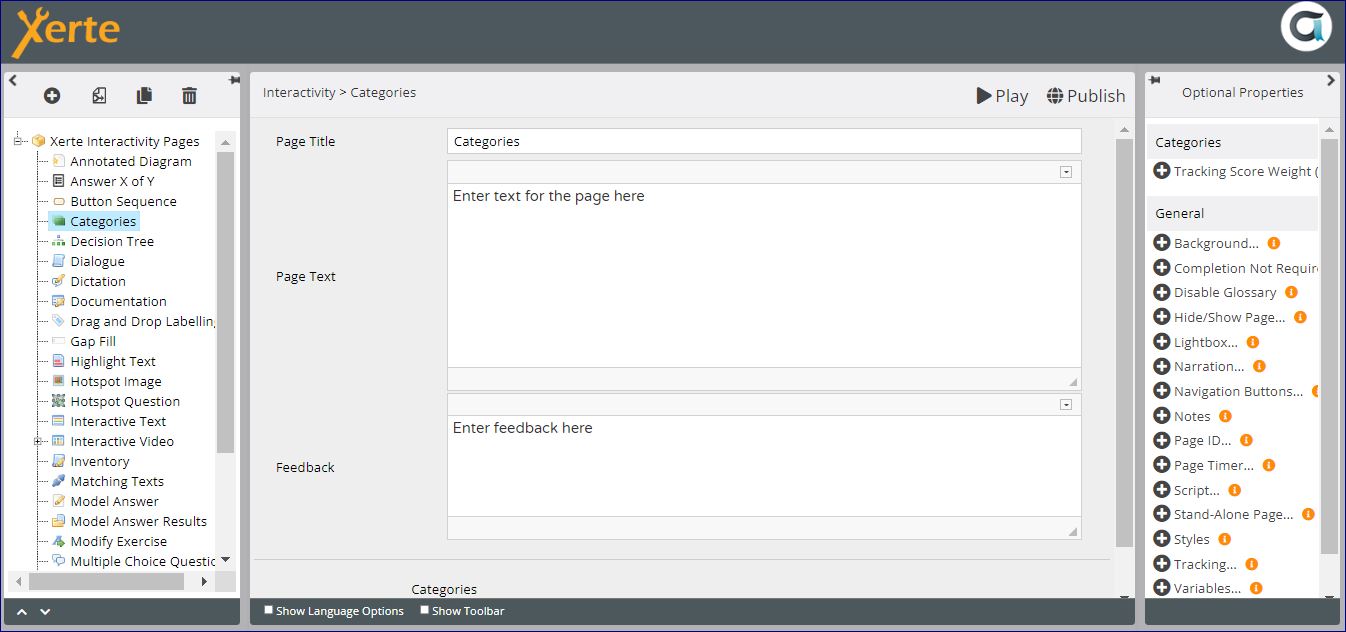
Top Level: Core Properties
| Property | Description | Type | Additional information |
|---|---|---|---|
| Page Title | Text that appears in header of published page | Text | |
| Page Text | Content that appears at the top of the page | Text+ (Toolbar) | Use this to give the context or instructions for the task. Other content (e.g. images, audio, video) can be embedded here. |
| Feedback | Feedback revealed after hitting Check Answers button. | Text+ (Toolbar) |
Top-Level: Assistants
This section describes the assistant properties available at the top level of the Quiz interactivity.
Page-specific
| Property | Description | Type | Additional information |
|---|---|---|---|
| AI Assistant | Generates quiz questions, answer options, correct answer settings, and feedback based on a defined subject. | AI Assistant | See Categories: AI Assistant for page-specific settings. For shared AI Assistant settings, see AI Assistant Common Properties. |
| Quick Fill | Creates multiple sub-pages at once using default values. | Non-AI Assistant | See Quick Fill for more details. |
General
| Property | Description | Type | Additional information |
|---|---|---|---|
| Image Search and Help Tool | Supports royalty-free image search and AI image generation. | AI / Non-AI | See Image Search and Help Tool for a full overview. |
Top Level: Optional Properties
Page-specific
| Property | Description | Type | Tooltip |
|---|---|---|---|
| Tracking Score Weight | Allows the task on the page to be weighted relative to other scored pages in the project. | Text | See the Tracking and Weighting page for more information on weighting. |
General
Top Level: Language Options
| Property | Description | Type | Tooltip |
|---|---|---|---|
| Button Label | Text on the Submit button | Text | Default - 'Check Answers' |
| Score Feedback | Indicates how many objects have been dragged into the correct category. | Text | Default - 'You have placed {i} out of {n} labels correctly' |
Add New Category (and Category Name) for each category you need. Within each Category, add New Item (and Item Text) for each draggable object.
Further information
This page can be tracked.
Items can be dropped anywhere in a column.
 From 3.14, if a learner moves away from this page and then returns to it, the page state is maintained. If a learner has dropped any items without submitting, these drops are maintained (and marked) when the learner returns to the page. Previously, if a learner left this page and returned to it, the page would have re-set.