

- Berichten: 2
- Ontvangen bedankjes 0
Report any technical problems you discover and discuss solutions.
Unresponsive management menu.
- Maestro Falcon
-
 Onderwerp Auteur
- Offline
- Nieuw lid
-

Minder
Meer
3 jaren 9 maanden geleden #8433
door Maestro Falcon
Unresponsive management menu. werd gestart door Maestro Falcon
Hi,
So, we installed Xerte. Everything looks fine and I'm able to login to the management page. After that nothing. The buttons on the page are unresponsive in every tried browser. The only thing I could find where javascript errors (see screenschot).
Can anybody please help us out?
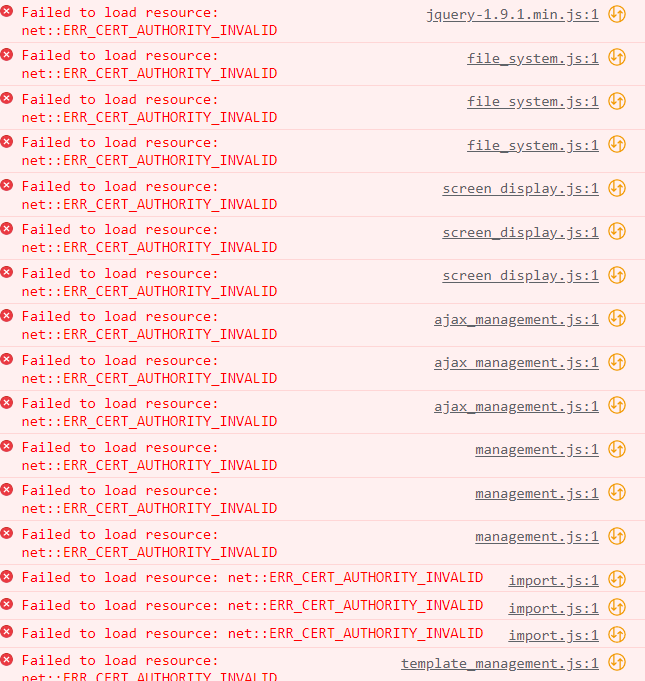
So, we installed Xerte. Everything looks fine and I'm able to login to the management page. After that nothing. The buttons on the page are unresponsive in every tried browser. The only thing I could find where javascript errors (see screenschot).
Can anybody please help us out?
Graag Inloggen of een account aanmaken deelnemen aan het gesprek.
- tom
-

- Offline
- Administrator
-

Minder
Meer
- Berichten: 1365
- Ontvangen bedankjes 344
3 jaren 9 maanden geleden #8434
door tom
Beantwoord door tom in topic Unresponsive management menu.
The error itself is pretty clear. A lot of the necessary js fles cannot be loaded because of issues with the HTTPS certificate.
The fact that you can sort of load the management page itself suggests that you installed Xerte, and afterwards changed the URL. The URL is stored in the database during installation, and if you change it afterwards, this can happen.
If you have access to the database, check the site_url column in the sitedetails table. If that is incorrect, correct it and try again.
The fact that you can sort of load the management page itself suggests that you installed Xerte, and afterwards changed the URL. The URL is stored in the database during installation, and if you change it afterwards, this can happen.
If you have access to the database, check the site_url column in the sitedetails table. If that is incorrect, correct it and try again.
De volgende gebruiker (s) zei dank u: Maestro
Graag Inloggen of een account aanmaken deelnemen aan het gesprek.
- Maestro Falcon
-
Onderwerp Auteur
- Offline
- Nieuw lid
-
Minder
Meer
- Berichten: 2
- Ontvangen bedankjes 0
3 jaren 9 maanden geleden #8436
door Maestro Falcon
Beantwoord door Maestro Falcon in topic Unresponsive management menu.
Hi Tom,
Thank you for your swift reaction last time!
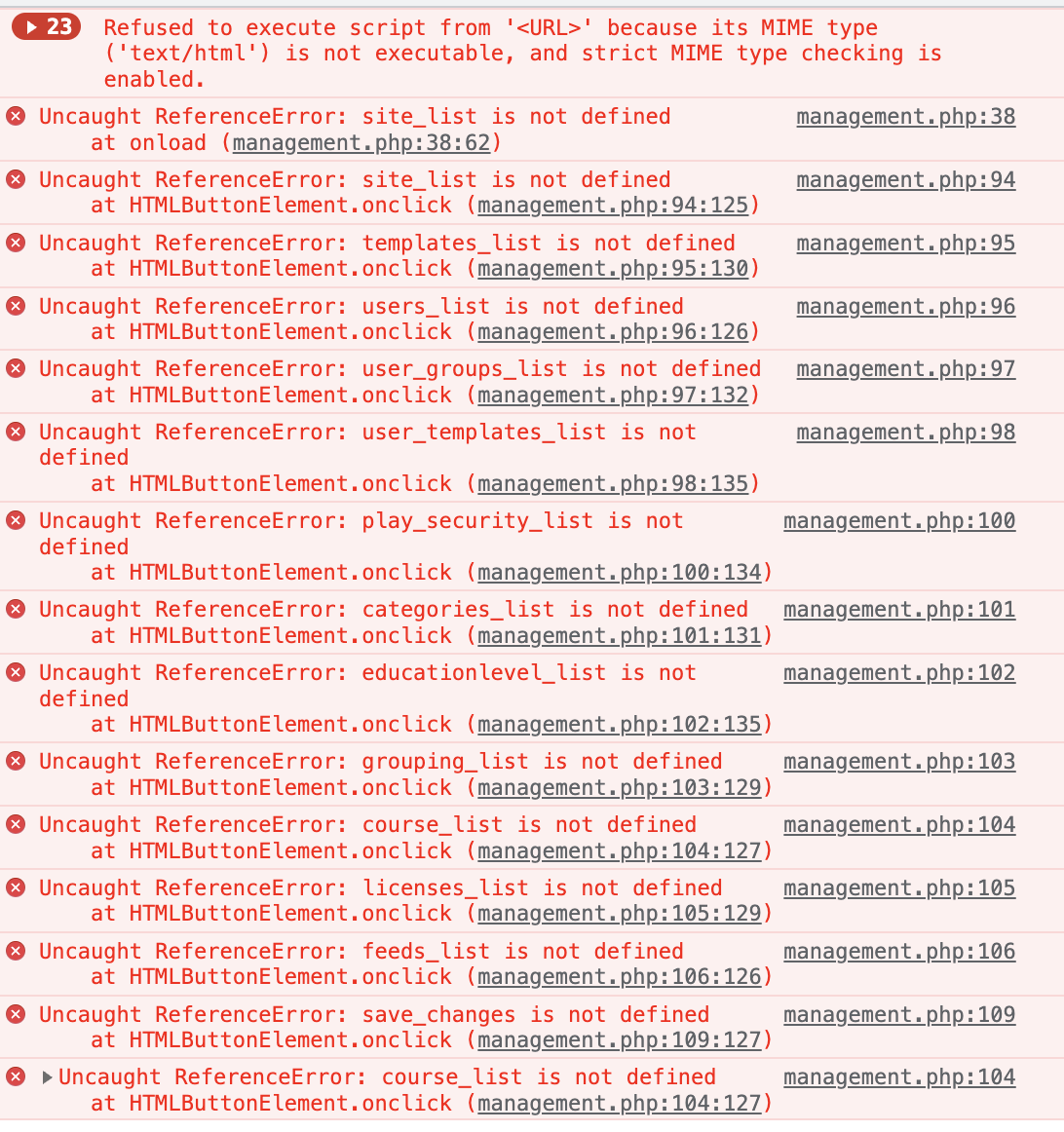
So, we did as you said and it did resolve the errors...but... Now we have 2 new errors.
The first one I understand. As in the browser won't execute a file of which it thinks is plain text, which it isn't but the browser is told so. I have no clue what would be the best solution to fix this.
I'm not sure but I think the reference error probably happens because of the first error where the files are not executed.
Thx again!
Thank you for your swift reaction last time!
So, we did as you said and it did resolve the errors...but... Now we have 2 new errors.
The first one I understand. As in the browser won't execute a file of which it thinks is plain text, which it isn't but the browser is told so. I have no clue what would be the best solution to fix this.
I'm not sure but I think the reference error probably happens because of the first error where the files are not executed.
Thx again!
Graag Inloggen of een account aanmaken deelnemen aan het gesprek.
- tom
-
- Offline
- Administrator
-
Minder
Meer
- Berichten: 1365
- Ontvangen bedankjes 344
3 jaren 9 maanden geleden #8438
door tom
Beantwoord door tom in topic Unresponsive management menu.
That file should not have been served to the browser at all. You need to configure the webserver properly to execute php.
Find a good tutorial to install the Apache/PHP/Mysql stack on your operating system. If your using a Linux server, look for installing a proper LAMP stack. If your using Windows, look at XAMPP, on MacOS, look at MAMP.
Find a good tutorial to install the Apache/PHP/Mysql stack on your operating system. If your using a Linux server, look for installing a proper LAMP stack. If your using Windows, look at XAMPP, on MacOS, look at MAMP.
De volgende gebruiker (s) zei dank u: Maestro Falcon
Graag Inloggen of een account aanmaken deelnemen aan het gesprek.
Moderators: ronm, julten, JohnSmith
Tijd voor maken pagina: 0.132 seconden