

- Berichten: 116
- Ontvangen bedankjes 1
Report any technical problems you discover and discuss solutions.
Adding graphics in MCQ and Quizzes
- JaapJan
-
 Onderwerp Auteur
- Offline
- Premium lid
-

Minder
Meer
9 jaren 4 weken geleden #4652
door JaapJan
Holy cow!
Adding graphics in MCQ and Quizzes werd gestart door JaapJan
I am working with 3.5, but as I remember a part of this bug is also popping up in
earlier versions.
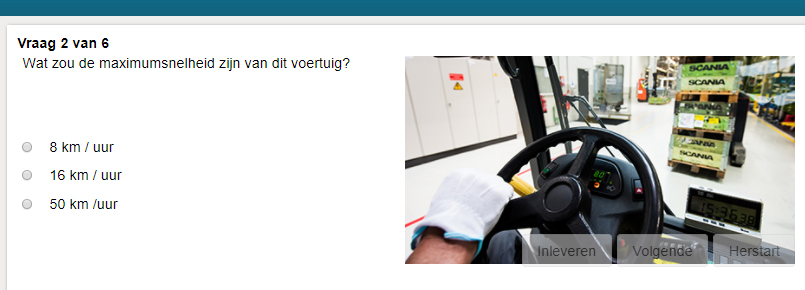
When I add a picture from the right-sided menu in a MCQ or Quiz, the buttons Next,
restart, etc will not be places at a proper position on the page (see attached
knipsel2.png)
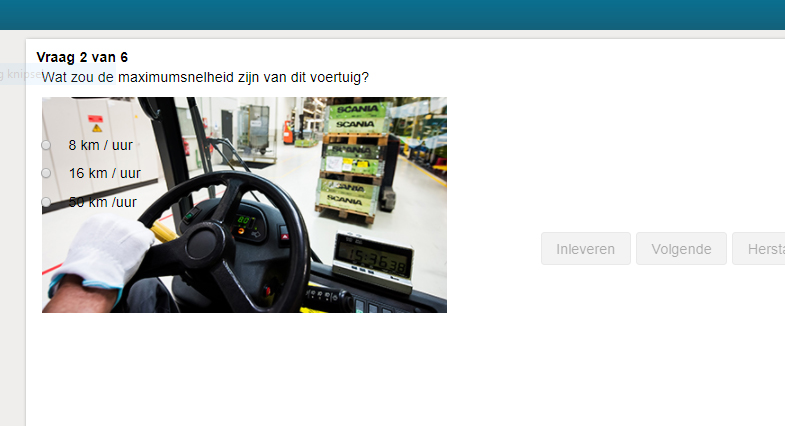
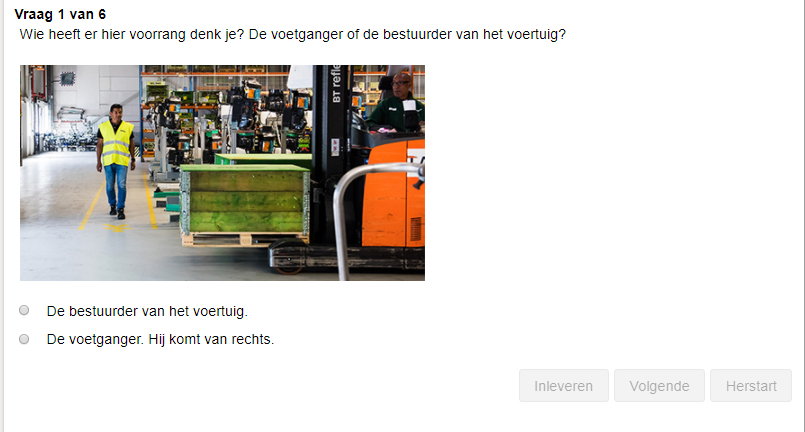
When I add a picture in a Quiz page with help of the WYSIWYG editor, the answers are placed over the picture. See attached knipsel1.png). Strange enough one of the quiz-questions behaves well . See attached knipsel3.png.
Any idea to solve this?
<Adding attachments does not work for me here >
>
earlier versions.
When I add a picture from the right-sided menu in a MCQ or Quiz, the buttons Next,
restart, etc will not be places at a proper position on the page (see attached
knipsel2.png)
When I add a picture in a Quiz page with help of the WYSIWYG editor, the answers are placed over the picture. See attached knipsel1.png). Strange enough one of the quiz-questions behaves well
. See attached knipsel3.png.Any idea to solve this?
<Adding attachments does not work for me here
> Holy cow!
Graag Inloggen of een account aanmaken deelnemen aan het gesprek.
- JaapJan
-
Onderwerp Auteur
- Offline
- Premium lid
-
Minder
Meer
- Berichten: 116
- Ontvangen bedankjes 1
9 jaren 4 weken geleden #4653
door JaapJan
Holy cow!
Beantwoord door JaapJan in topic Adding graphics in MCQ and Quizzes
Now in JPG... In png it does noet work.
Holy cow!
Graag Inloggen of een account aanmaken deelnemen aan het gesprek.
- JaapJan
-
Onderwerp Auteur
- Offline
- Premium lid
-
Minder
Meer
- Berichten: 116
- Ontvangen bedankjes 1
9 jaren 4 weken geleden #4654
door JaapJan
Holy cow!
Beantwoord door JaapJan in topic Adding graphics in MCQ and Quizzes
Oops, I solved a part of the error myself. When you use the WYSIWYG editor set the alignment at None. I used Left. That does not work.
The other problem still exists. Adding an image with the menu at the right, the buttons are placed over the image.
The other problem still exists. Adding an image with the menu at the right, the buttons are placed over the image.
Holy cow!
Graag Inloggen of een account aanmaken deelnemen aan het gesprek.
Moderators: ronm, julten, JohnSmith
Tijd voor maken pagina: 0.133 seconden