

- Messages : 99
- Remerciements reçus 0
Report any technical problems you discover and discuss solutions.
export local doesn't work, on website it will
- rloenen
-
 Auteur du sujet
- Hors Ligne
- Membre premium
-

Moins
Plus d'informations
il y a 2 ans 6 mois #8983
par rloenen
export local doesn't work, on website it will a été créé par rloenen
After a few years I installed Xerte again to start building. I have created a local page and want to export it to import onto my website. After exporting, the test file (xxx_deploymentTEST.zip) appears to be empty. Other pages also seem to be exported, I don't get any error messages or anything like that, but the export zips are empty. Even after a new installation, the export produces an empty file.
But the installation on my website does make good exports.
Does anyone have an idea what could be going on and how to solve the problem?
But the installation on my website does make good exports.
Does anyone have an idea what could be going on and how to solve the problem?
Connexion ou Créer un compte pour participer à la conversation.
- tom
-

- Hors Ligne
- Administrateur
-

Moins
Plus d'informations
- Messages : 1365
- Remerciements reçus 344
il y a 2 ans 6 mois #8984
par tom
Réponse de tom sur le sujet export local doesn't work, on website it will
So, just to be clear, this is on a local XAMPP install?
Connexion ou Créer un compte pour participer à la conversation.
- rloenen
-
Auteur du sujet
- Hors Ligne
- Membre premium
-
Moins
Plus d'informations
- Messages : 99
- Remerciements reçus 0
il y a 2 ans 6 mois #8987
par rloenen
Réponse de rloenen sur le sujet export local doesn't work, on website it will
Hi Tom,
It is a local XAMPP installation.
gr
Ronald
It is a local XAMPP installation.
gr
Ronald
Connexion ou Créer un compte pour participer à la conversation.
- tom
-
- Hors Ligne
- Administrateur
-
Moins
Plus d'informations
- Messages : 1365
- Remerciements reçus 344
il y a 2 ans 6 mois #8989
par tom
Réponse de tom sur le sujet export local doesn't work, on website it will
If you navigate to your XAMPP install's phpinfo.php page, do you see the zip extension?
http://localhost/dashboard/phpinfo.php
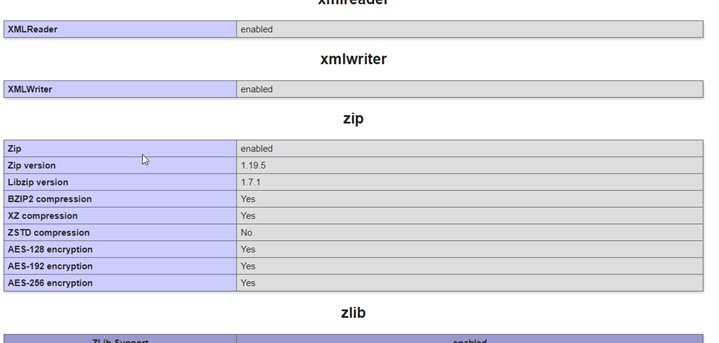
http://localhost/dashboard/phpinfo.php
Connexion ou Créer un compte pour participer à la conversation.
- rloenen
-
Auteur du sujet
- Hors Ligne
- Membre premium
-
Moins
Plus d'informations
- Messages : 99
- Remerciements reçus 0
il y a 2 ans 6 mois #8991
par rloenen
Réponse de rloenen sur le sujet export local doesn't work, on website it will
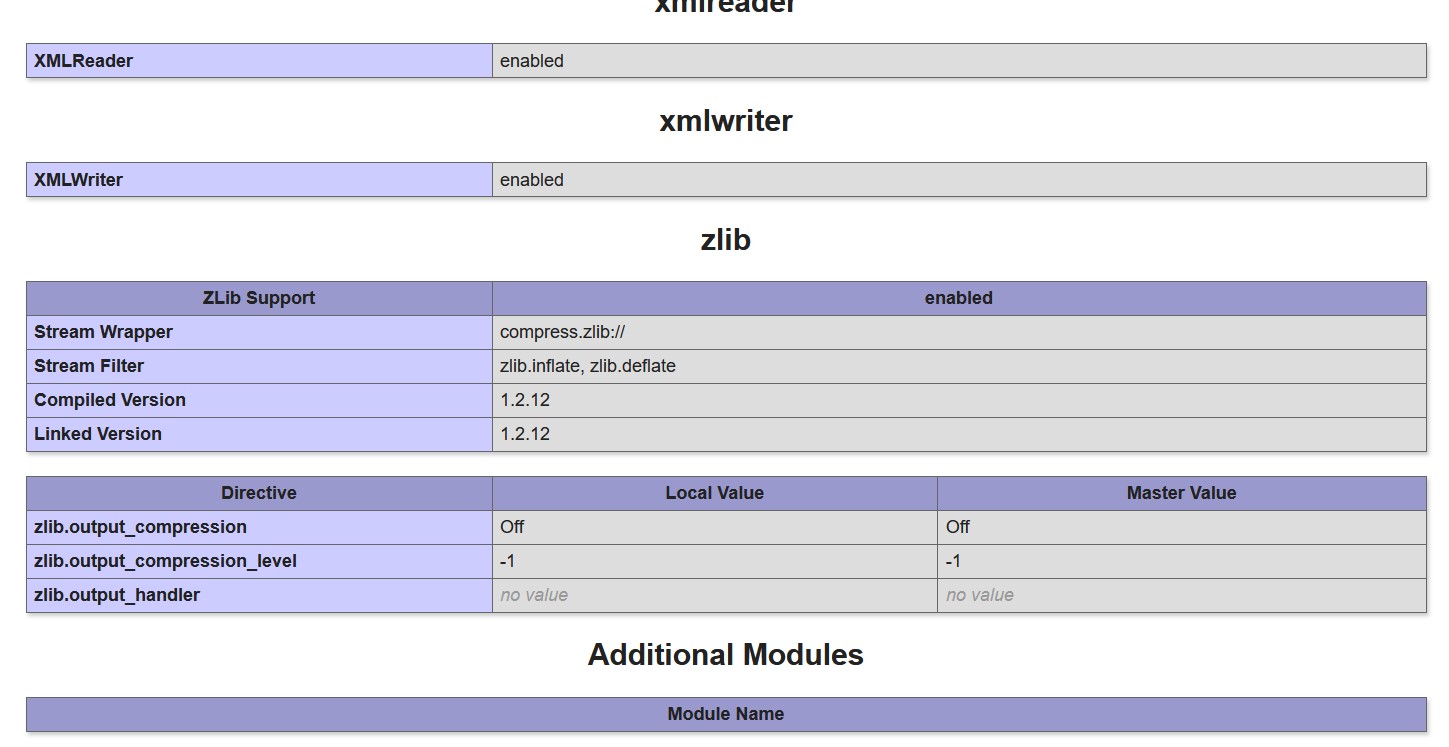
In http://localhost/dashboard/phpinfo.php I'm missing the ZIP part.
Connexion ou Créer un compte pour participer à la conversation.
- tom
-
- Hors Ligne
- Administrateur
-
Moins
Plus d'informations
- Messages : 1365
- Remerciements reçus 344
il y a 2 ans 6 mois #8993
par tom
Réponse de tom sur le sujet export local doesn't work, on website it will
In your xampp folder go into the php folder and open the php.ini file.
Find the line ';extension=zip' and remove the ';'before that line. Save the file and restart apache and check whther the zip extension is enabled (in phpinfo).
Find the line ';extension=zip' and remove the ';'before that line. Save the file and restart apache and check whther the zip extension is enabled (in phpinfo).
Les utilisateur(s) suivant ont remercié: rloenen, silayanten
Connexion ou Créer un compte pour participer à la conversation.
Modérateurs: ronm, julten, JohnSmith
Temps de génération de la page : 0.159 secondes